

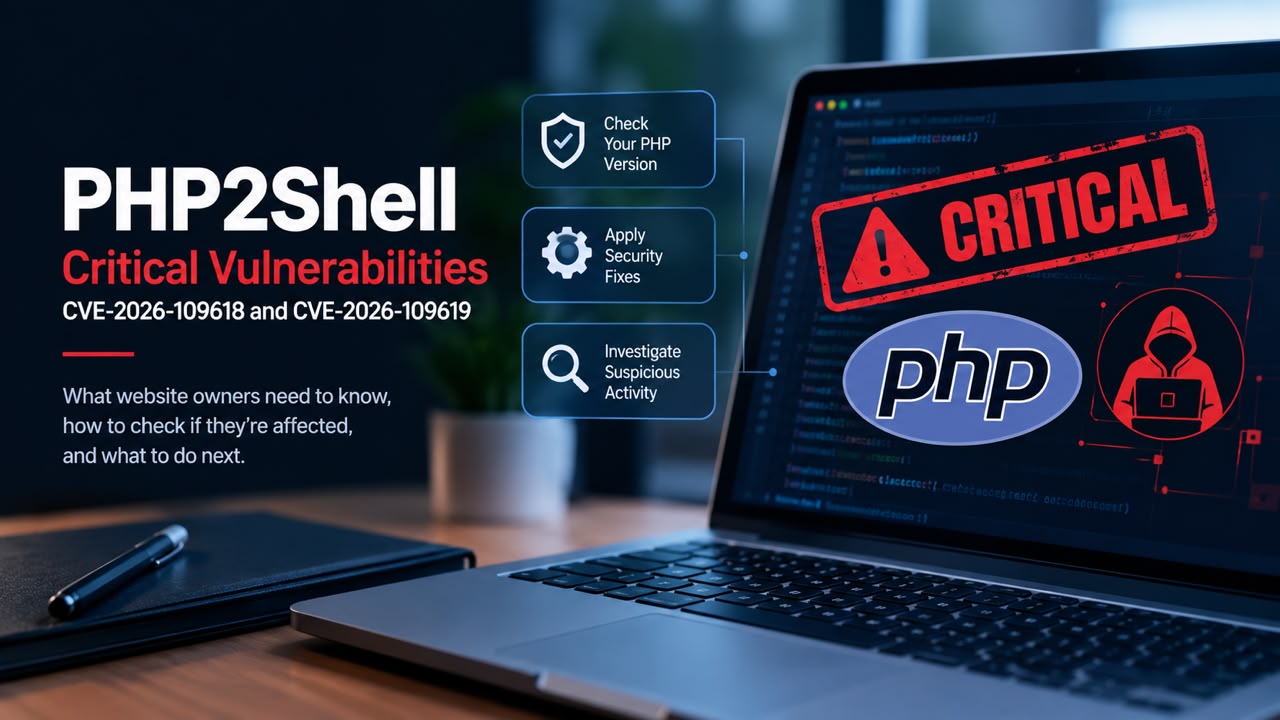
Website owners should verify that their PHP runtime is patched against PHP2Shell, confirm the fix with their hosting provider and investigate suspicious activity. Updating WordPress alone does not secure a vulnerable PHP runtime.
PHP2Shell refers to CVE-2026-109618 and CVE-2026-109619, two critical PHP vulnerabilities that can allow attackers to execute code remotely without authentication. The PHP project released security fixes on 21 October 2026. On 26 October, BleepingComputer reported evidence of successful exploitation against an Apache server running mod_php with PHP 8.4.26.
Website owners should identify the PHP runtime serving their website, confirm that the appropriate security fix is installed and investigate suspicious activity. Updating WordPress or another website platform does not, by itself, fix a vulnerable PHP runtime.
Which PHP versions are affected?
The vulnerabilities affect PHP installations serving web requests, including PHP-FPM, Apache with mod_php, php-cgi, FrankenPHP and LiteSpeed. The PHP project identifies mod_php as the highest-risk configuration based on its demonstrated exploit.
The standard upstream fixed releases are:
| PHP branch | Fixed release |
|---|---|
| PHP 8.5 | 8.5.12 |
| PHP 8.4 | 8.4.27 |
| PHP 8.3 | 8.3.36 |
| PHP 8.2 | 8.2.35 |
Linux distributions and long-term-support vendors may backport security fixes without changing the displayed upstream version. Therefore, a lower-looking version number is not conclusive evidence that a server remains vulnerable, just as a version number alone is not always proof of a successful patch. Confirm the installed package and its security status with the relevant vendor.
PHP 8.1 and older no longer receive standard security updates from the PHP project. The project has provided limited source backports for PHP 7.4, 8.0 and 8.1, but website owners must verify the actual package rather than assume a fix is present. PHP 8.2 is also scheduled to reach end of life on 31 December 2026.
How to check whether your website is exposed
1. Identify the PHP runtime serving the website.
Check your hosting dashboard or server documentation. If you use WordPress, open Tools → Site Health → Info → Server to see the PHP version reported for the site.
Treat this as an initial check. A server may have several PHP installations, and the command-line version may differ from the runtime serving web requests. Include production sites, staging environments, subdomains and other applications on the same infrastructure.
2. Confirm the security fix.
If you manage the server, verify the installed package against the upstream release or your operating system vendor’s security advisory. Apply the appropriate update and restart the affected PHP service or workers as required.
If your provider manages the runtime, ask for written confirmation that both CVE-2026-109618 and CVE-2026-109619 are fixed in the package serving your website.
3. Use the result to decide what happens next.
- Fix confirmed: Retain the evidence, check that all relevant environments are covered and investigate any suspicious activity separately.
- Fix not confirmed: Escalate the request to the provider or administrator and treat the exposure as unresolved.
- No immediate patch available: Follow CISA’s advice to take affected PHP-based systems offline until they can be patched or updated. A web application firewall may offer some protection temporarily, but it is not a complete fix.
- Signs of intrusion: Initiate incident response rather than treating a routine software update as sufficient.
Message to send your hosting provider
You can use the following request to obtain a concrete answer instead of a general assurance that the server is secure.
Please confirm whether the PHP runtime serving my website has been patched against CVE-2026-109618 and CVE-2026-109619.Please identify the PHP runtime and installed package or build, the fixed release or documented vendor backport applied, and whether the relevant production and staging environments are covered. Please also confirm that the updated runtime is active and that any required services or workers have been restarted.If the fix has not been applied, please advise on the immediate remediation plan and the steps required to prevent continued exposure.
Keep the response with your maintenance records. If the provider cannot confirm the status, the issue is still unresolved.
How to check for possible compromise
A successful patch closes the vulnerability but does not establish whether it was exploited earlier.
Review web server, PHP, firewall and system logs for suspicious requests, unexpected PHP worker processes launching shells or downloading tools, unfamiliar PHP files, unexplained file changes and unusual outbound connections. These are investigation leads, not automatic proof of PHP2Shell exploitation.
Preserve relevant logs and timestamps before routine cleanup. If there are credible signs of unauthorised access, isolate the affected system where appropriate and involve a qualified incident-response professional. Investigate possible persistence and exposure of credentials or other sensitive data, then rotate affected credentials from a trusted environment as part of the recovery process.
For website publishers, server security is only one aspect of protecting the wider operation. Our related analysis of Google’s eMudhra root-certificate removal examines another infrastructure issue that website owners should understand.
What Nigerian website owners should do
You do not need to wait for evidence that Nigerian websites are being compromised before checking your own server. Equally, the available reporting does not establish how many Nigerian websites are vulnerable or affected.
For businesses and publishers using managed hosting, the immediate priority is to obtain a verifiable answer from the company responsible for the PHP runtime. If the provider cannot confirm a fix, escalate the issue and seek a safe remediation or isolation plan.
Our Recommendation
Check the PHP runtime rather than relying on your website platform’s update status. Confirm the security fix with the administrator or hosting provider, retain evidence of remediation and investigate possible compromise separately.
The key distinction is between knowing that a patch has been installed and knowing that the relevant production service is actually running the corrected build. Both matter, particularly now that successful exploitation has been reported.
Sources & Verification
Official PHP security advisory and fixed versions
CISA: Critical Vulnerabilities in PHP Require Immediate Patching
BleepingComputer: PHP2Shell vulnerabilities successfully exploited in the wild
Frequently asked questions
1. What is PHP2Shell?
PHP2Shell refers to two critical PHP vulnerabilities, CVE-2026-109618 and CVE-2026-109619, that can allow unauthenticated attackers to execute code remotely on affected servers. Successful exploitation could expose sensitive data or compromise a website’s hosting environment.
2. Which PHP versions are affected by PHP2Shell?
The vulnerabilities affect PHP installations serving web requests. The standard fixed releases are PHP 8.5.12, 8.4.27, 8.3.36 and 8.2.35. Older versions may have vendor-provided security backports, so administrators should verify their installed package’s status rather than rely on the version number alone.
3. Does updating WordPress fix PHP2Shell?
No. Updating WordPress or another website platform does not automatically patch the underlying PHP runtime. Website owners must confirm that the PHP package serving their site has received the appropriate security fix.
4. How can I tell if my website is vulnerable?
Check the PHP version reported in your hosting dashboard or WordPress under Tools → Site Health → Info → Server. Then ask your hosting provider or server administrator to confirm that the relevant PHP security fixes are installed and active, including any vendor backports.
5. What should I do if my hosting provider has not applied the fix?
Contact the provider urgently and request a confirmed remediation plan. If an update is unavailable, follow the relevant security advisory’s mitigation guidance and assess whether the affected service needs to be isolated or taken offline until it can be secured. Temporary mitigations do not replace patching.

Binance Hack: What Two Blockchain Investigations Reveal About $6.3 Billion in Outflows

AI4Elections Hackathon: How Nigerian Innovators Can Build a Strong Entry

What Really Happens After You Tap “Delete Account”? We Checked 20 Popular Apps

Targeted Ads Delivered Zero-Click Spyware. What African Publishers Should Check
Google’s eMudhra Certificate Removal: What Website Owners in Africa Need to Know

NDPC Registration in Nigeria: Does Your Business Need to Register?
We Analysed 200 Spam Messages Sent to Nigerians: Here’s How Fraudsters Try to Make People Act
Follow TechView Africa on WhatsApp
Get TechView Africa updates on WhatsApp. Follow our channel for practical technology news, product guides and digital trends from Nigeria and across Africa.
Leave a comment
Comments cannot be edited or deleted after posting. Please review your comment before submitting.
No comments yet. Start the conversation.