

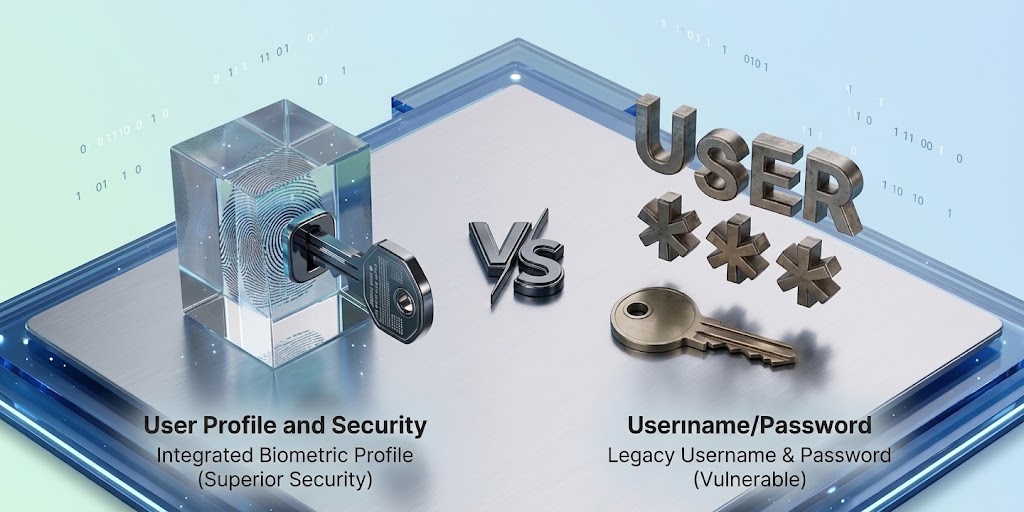
Passkeys are safer mainly because there is no reusable password for you to type, accidentally reveal or have stolen from a website's password database, while each passkey is also tied to the specific service for which it was created.
Passkeys are increasingly appearing alongside passwords on major apps and websites, promising easier sign-ins and stronger protection against phishing, but their real security advantage has less to do with fingerprints or Face ID than with changing what is actually exchanged when you log in.
Passkeys are safer than passwords because they remove one of the biggest weaknesses in traditional login systems: a reusable secret that both you and the website need to know. A password can be stolen through phishing, reused across several websites, exposed in a database breach or accidentally handed to an attacker, whereas a passkey uses public-key cryptography, creating one key that the service can store publicly and another private key that remains under the user's control.
The FIDO Alliance, which develops the standards behind passkeys, explains that each passkey is tied to a specific website or application, meaning a credential created for one service cannot simply be presented to a convincing fake version of another. That design, rather than the convenience of unlocking an account with a fingerprint or face scan, is what makes passkeys fundamentally different.
Passwords have one uncomfortable weakness: they can be given away
Most traditional login systems depend on proving that you know a secret. You type a password, the service checks whether it matches its stored authentication information, and access is granted if everything checks out, but this system creates an obvious opportunity for criminals because people can be persuaded into typing that same secret somewhere else.
Nigeria's Computer Emergency Response Team has repeatedly warned about phishing campaigns that imitate trusted organisations through email, SMS, WhatsApp and other channels in an attempt to steal passwords, banking information and other sensitive credentials. Once a criminal captures a valid password, that credential may work exactly as it would for the legitimate owner, while password reuse makes the situation even worse because one exposed password can sometimes unlock several unrelated accounts. Passkeys change that model by removing the password from the transaction entirely.
A passkey uses two cryptographic keys
When a passkey is created, the device generates a public-private key pair, with the public key registered with the website or application while the private key remains protected through the user's passkey provider or device. During sign-in, the service sends a cryptographic challenge, the private key signs the appropriate authentication information, and the website verifies the result with the public key it already holds.
Google's technical explanation of passkeys notes that the public key stored by the website is not enough for an attacker to impersonate the user, because the corresponding private key is still required to complete authentication. This creates an important advantage during a server breach, since stealing a database containing public passkey information does not provide attackers with the reusable secret they would receive from exposed password credentials.
The phishing protection may be the biggest improvement
Suppose an attacker creates a fake login page that looks almost identical to a real service and then persuades you to visit it. With a password, the attack succeeds if you believe the page and type your credentials. Passkeys behave differently because the credential is bound to the website or application's identity, and the browser or operating system participates in determining whether the correct service is requesting authentication.
Microsoft's passkey security guidance explains that a passkey created for one registered domain cannot simply be presented to a look-alike domain, even if the user has been fooled into visiting it. The current NIST digital-identity guidance describes this kind of cryptographic binding as an important part of phishing-resistant authentication, while also noting that manually entered one-time codes are not considered phishing-resistant because a fraudulent site can capture and relay them. That difference is significant in environments where phishing remains one of the most common routes to account compromise.
Your fingerprint is not being sent to the website
Passkeys can sometimes create another misunderstanding: because a phone asks for a fingerprint, Face ID or PIN before signing in, people may assume the website receives biometric information. It does not. The biometric check normally happens locally on the device and is used to authorise access to the passkey, while the website receives the cryptographic proof required to authenticate the account.
Apple's passkey security documentation explains that biometric information used to authorise a passkey remains on the device, while Google similarly states that fingerprint and facial-recognition information is not disclosed to websites through the passkey authentication process. Your fingerprint therefore does not replace your password in the sense of becoming another secret stored by every service you use; instead, it helps your device decide whether you are allowed to use the cryptographic credential it already holds.
Passkeys also remove the password-reuse problem
People are regularly told to create a different strong password for every account, although maintaining dozens of unique credentials is difficult without a password manager, which is one reason password reuse remains attractive to attackers.
Nigeria's ngCERT warned in June 2026 that stolen credentials from data breaches are routinely used for credential-stuffing attacks, where criminals test exposed passwords against other services in the hope that users reused them. A passkey created for one service is automatically different from the passkey used for another, so there is no single password to reuse and no requirement for users to invent increasingly complicated combinations themselves.
But passkeys do not make an account invincible
Passkeys solve important authentication problems, not every security problem. Someone who gains control of an unlocked device may still create risks, while weak account-recovery processes can undermine otherwise strong authentication, and malware, social engineering or compromised email accounts can create alternative routes into a person's digital life.
Synced passkeys also depend partly on the security of the account and provider used to synchronise them, although providers employ additional protections and encryption around that process. NIST's guidance on syncable authenticatorstreats them as legitimate authentication technology while recognising that organisations should consider the security and recovery trade-offs involved. Users should therefore continue protecting the phone, laptop or account used to manage their passkeys with a strong screen lock and reliable recovery settings.
Should you switch when a service offers passkeys?
For important accounts, there is a strong argument for using a passkey when the service supports it and your devices are compatible, particularly for email, cloud services and other accounts that could be used to reset access elsewhere.
Passkeys are already supported across major operating systems and browsers, while many implementations allow credentials to synchronise across compatible devices or let a nearby phone authenticate a sign-in on another computer.
The Central Bank of Nigeria's fraud-awareness guidance continues to warn users that phishing attempts frequently seek passwords and other confidential information, which is precisely the type of attack that moving away from reusable passwords can help reduce.
Our Recommendation
Passkeys are not safer because fingerprints are magical, nor because changing the sign-in button automatically makes an account secure; they are safer because they redesign the authentication process so that the most valuable secret does not need to be typed into websites, transmitted during login or stored by the service in a form that can be reused by an attacker.
That removes several familiar attack opportunities at once, including traditional phishing, password reuse and credential stuffing, while domain binding makes it considerably harder for a fake website to trick a passkey into authenticating the wrong service.
Passwords will not disappear immediately, particularly while websites, devices and recovery systems continue transitioning, but when a trusted service offers a properly implemented passkey, using it is generally a meaningful security upgrade rather than simply a more convenient way to log in.
Sources & Verification
Nigeria Computer Emergency Response Team — Phishing Advisory
Google for Developers — Passkeys
Microsoft — Passkeys Frequently Asked Questions
NIST — Digital Identity Guidelines: Authenticators
Apple — About the Security of Passkeys
ngCERT — Risks From Stolen Passwords and Credentials
NIST — Syncable Authenticators
Frequently asked questions
What is a passkey?
A passkey is a cryptographic login credential based on FIDO standards that allows a user to authenticate to a website or application without entering a traditional password.
Are passkeys completely impossible to hack?
No authentication technology makes an entire account impossible to compromise. Passkeys substantially reduce risks such as phishing and credential stuffing, but device security, account recovery and other parts of the service still matter.
Can someone steal my fingerprint from a passkey website?
The website does not receive your fingerprint through the normal passkey process. Biometric verification occurs locally on the device and authorises use of the passkey.
What happens if I lose my phone?
Depending on the passkey provider and setup, passkeys may be synchronised securely to other devices or recoverable through the provider's account-recovery process. Device-bound passkeys may require another registered authentication method.
Are passkeys safer than passwords plus an SMS code?
Passkeys are designed to be phishing-resistant, whereas manually entered passwords and SMS or app-generated one-time codes can potentially be captured by convincing phishing sites. NIST does not classify manually entered OTP authentication as phishing-resistant.
Should I delete all my passwords after creating passkeys?
Not automatically. Some services retain passwords or other recovery methods after a passkey is created, so users should understand the account's recovery settings before removing authentication options.
Can Someone Hack Your Phone Just by Calling You? Separate Fact From Fear

That Customer Care Account in Your DMs May Be Fake: Here’s How to Check
Before Installing a Free VPN, Check This
Cybersecurity Is More Than Hacking: The Roles Beginners Often Overlook
SIM Swap Fraud: How Criminals Can Hijack Your Number Without Stealing Your Phone

WhatsApp Is Making Suspicious Account Linking Harder—Here’s Why It Matters
Truecaller Says a Call Is Spam or Fraud. How Much Should You Trust It?
Follow TechView Africa on WhatsApp
Get TechView Africa updates on WhatsApp. Follow our channel for practical technology news, product guides and digital trends from Nigeria and across Africa.
Leave a comment
Comments cannot be edited or deleted after posting. Please review your comment before submitting.
No comments yet. Start the conversation.