

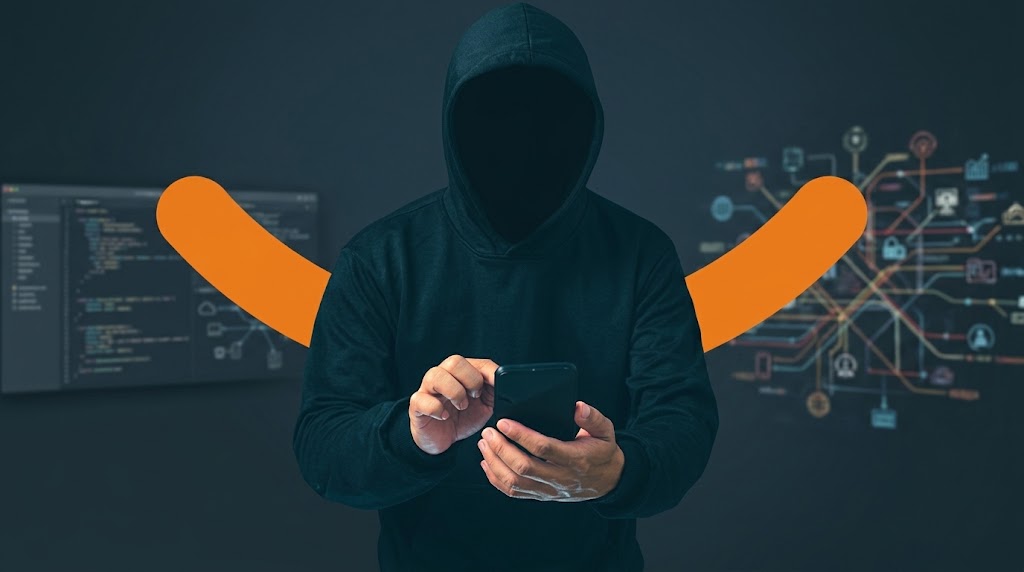
Simply answering an ordinary phone or WhatsApp call does not normally give the caller control of your smartphone. The much more realistic danger is what happens next: a scammer persuades you to reveal an OTP, disclose banking information, follow a malicious link or install an unfamiliar app. Rare zero-click vulnerabilities are real, but they involve exploiting software flaws and are very different from an ordinary stranger calling your number.
Can Someone Hack Your Phone Just by Calling You? What Actually Happens
Simply answering a normal phone or WhatsApp call does not usually give the caller control of your device. However, rare vulnerabilities in software that processes incoming communications can allow attacks without your interaction. The more common danger is a caller persuading you to reveal sensitive information or grant access.
An unfamiliar number rings. You answer, hear someone speaking, and end the call. A few minutes later, you remember a warning circulating online: hackers can supposedly take control of a smartphone just by calling it.
Should you be worried?
Under normal circumstances, answering an unknown phone call does not give someone access to your messages, banking apps, passwords or photographs. An ordinary voice connection does not grant the caller permission to control your device.
There is an important exception. Sophisticated attackers have exploited weaknesses in software that automatically processes incoming calls and messages. These attacks are technically possible, but they are fundamentally different from someone dialling your number and gaining access simply because you said hello.
Understanding that difference can help you respond to genuine threats without unnecessary fear.
Can a Phone Be Hacked Without Answering a Call?
Yes, under particular technical conditions. This is where zero-click attacks become relevant. A zero-click attack exploits a software vulnerability without requiring the victim to click a link, open a file or knowingly approve an action.
In 2019, WhatsApp disclosed a serious vulnerability in its voice-over-IP calling infrastructure. The flaw, recorded as CVE-2019-3568 by the US National Vulnerability Database, could allow remote code execution through specially crafted network packets.
The affected software included older versions of WhatsApp on Android and iOS. The vulnerability was subsequently addressed through software updates.
This example establishes that calling-related software can contain exploitable vulnerabilities. It does not establish that ordinary WhatsApp calls in current, updated versions automatically expose users to the same flaw.
Google Project Zero also documented the FORCEDENTRY exploit, which targeted a vulnerability in the software processing incoming iMessages. The attack could operate without the recipient deliberately opening malicious content.
That case involved iMessage rather than an ordinary cellular voice call, but it demonstrates why cybersecurity researchers take automatically processed communications seriously.
The key distinction is that zero-click compromise requires an exploitable weakness and an attacker capable of using it. Merely knowing somebody's telephone number is not equivalent to having that capability.
What Are the Real Risks When an Unknown Number Calls?
Not every suspicious call presents the same danger. A useful assessment separates ordinary communication, attempted manipulation and actual exploitation.
| Situation | What it means |
|---|---|
| You answer, say hello and hang up | No indication of compromise from the call alone |
| The caller requests an OTP, PIN or password | Possible attempt to gain access to an account |
| The caller sends a link or asks you to install an app | Possible phishing, malware or remote-access attempt |
| The caller requests screen sharing or device control | Potential exposure of sensitive information or device access |
| A sophisticated attacker exploits vulnerable calling software | Possible device compromise without ordinary user interaction |
The distinction matters because an unknown caller may never attempt to exploit the phone technically. Instead, the caller tries to persuade the owner to provide the access they cannot obtain directly. That is social engineering: manipulating someone into performing an action that compromises their security.
Why Scam Calls Are a Particular Concern in Nigeria
A Nigerian smartphone user might receive a call from someone claiming to represent a bank, telecommunications provider or delivery company. The caller may know the person's name, mention a familiar institution or create a convincing emergency.
For example:
Your account has been flagged for suspicious transactions. We need the verification code sent to your phone to prevent a withdrawal.
The message sounds urgent, but the request is the warning sign. Nigeria's national Computer Emergency Response Team, ngCERT, documented deceptive calls and messages in its January 2025 advisory on phishing campaigns targeting Nigerian users. It warned that fraudsters impersonate trusted organisations to obtain personal information and banking details.
The Central Bank of Nigeria also advises consumers to verify suspicious communications independently and protect confidential financial information.
A fraudulent caller could begin with an ordinary conversation and gradually pressure the victim to disclose a banking PIN, share a one-time password or approve a login request.
The danger is not that the caller's voice somehow unlocks the phone. It is that the conversation may convince the owner to surrender information or access. That is why a convincing caller should never be treated as proof of a legitimate organisation, regardless of the number displayed or personal details they appear to know.
Can Someone Hack You Through a WhatsApp Call?
WhatsApp calls deserve the same careful distinction between software vulnerabilities and social engineering. Someone who knows your number may be able to contact you through WhatsApp. An unfamiliar caller could be a legitimate contact, a spammer or a fraudster.
Simply receiving or answering a WhatsApp call is not normally evidence that your device has been compromised. However, WhatsApp's history includes genuine calling-related vulnerabilities, and Meta has introduced additional protections.
One useful feature is Silence Unknown Callers, available through WhatsApp's privacy settings. It prevents calls from unfamiliar numbers from ringing while allowing users to review them in the call list.
Meta has also explained that its technical implementation reduces exposure to some risks associated with automatically processing incoming calling data. The feature therefore offers more than protection against annoying interruptions, although it should not be mistaken for a guarantee against every possible attack.
Users who receive frequent unwanted WhatsApp calls can enable the feature, block suspicious contacts and keep the application updated.
A Suspicious Call Can Lead to Malware Without Hacking the Call Itself
A fraudster may contact you under the pretence of fixing a banking problem, updating your SIM registration or removing a supposed virus.
They may then ask you to install an application, open a website or allow them to view your screen. Some remote-support applications are legitimate tools used by technicians and businesses. The risk arises when someone you have not independently verified persuades you to give them access.
Depending on the permissions granted, the person may see private information, observe account activity or interact with parts of your device.
TechView Africa's explanation of why scammers ask people to install screen-sharing and remote-access apps covers these risks in greater detail. A caller who tells you to install software immediately, especially while discussing your bank account, should be treated with particular caution. End the conversation and contact the organisation through its independently verified website, application or customer-service channel.
What Should You Do After Answering a Suspicious Call?
The response should depend on what happened during the interaction.
If you only answered and spoke
If you said hello, exchanged a few words and ended the conversation without disclosing confidential information, following links or installing anything, the call alone provides little reason to believe the phone has been compromised.
You generally do not need to factory-reset your phone or change every password simply because an unfamiliar person called. You can block the number, report unwanted contact where appropriate and check that your device and messaging applications are updated.
If you disclosed an OTP, PIN or password
Act promptly. Stop communicating with the caller and secure the affected account.
For banking information, contact your bank immediately through its official channel. Explain what was disclosed and ask what protective action is necessary, including restricting access or reviewing transactions.
If a password was exposed, change it through the legitimate service. Revoke unfamiliar sessions and review account-recovery settings where supported. Where possible, strengthen important accounts with appropriate multi-factor authentication or passkeys.
If you installed software or granted remote access
End any active remote session and disconnect the device from the internet if you suspect the caller still has access.
From another trusted device, secure sensitive accounts and contact your bank if financial information may have been exposed.
Review the affected phone for unfamiliar applications, permissions or configuration changes. Remove unauthorised software using trusted procedures and seek qualified technical assistance if you cannot establish that the device is safe.
A factory reset may be appropriate for a confirmed or strongly suspected device compromise, but it is not automatically required after every unwanted call.
Why Keeping Your Phone Updated Matters
Software updates are relevant even when you have never clicked a suspicious link. Security patches correct vulnerabilities that may exist in an operating system or application, including components responsible for processing incoming data.
That is why keeping Android, iOS, WhatsApp and other important applications updated reduces exposure to known vulnerabilities. It does not guarantee protection against every newly discovered exploit, but it is a practical defence against weaknesses for which fixes already exist. Android users can follow TechView Africa's guide on checking their Android security patch level and installing available updates.
For individuals facing unusually sophisticated targeting, Apple offers Lockdown Mode, an optional protection that restricts certain device functions to reduce potential avenues of attack.
Apple also issues threat notifications when it identifies activity consistent with highly targeted mercenary spyware attacks. Such alerts deserve serious attention, but Apple explains that most users will never face this category of attack.
Ordinary scam prevention and advanced spyware protection address different levels of risk. Neither should be confused with the other.
Our Recommendation
If you receive a suspicious phone or WhatsApp call, focus first on whether anything beyond the conversation occurred.
Did you share confidential information? Did you open a link, install software, approve a security request or grant someone access to your device? If none of those happened, answering the call alone is generally not a reason to conclude that your phone has been hacked. If you did disclose credentials or grant access, act quickly to protect the affected accounts and device.
Rare zero-click attacks show why keeping software updated matters, but they should not lead smartphone owners to assume that every unfamiliar call represents an advanced cyberattack.
The strongest everyday precaution is to verify callers independently, protect your credentials and refuse unexpected requests for device access.
Sources & Verification
NIST National Vulnerability Database — WhatsApp CVE-2019-3568
Google Project Zero — Research into zero-click iMessage exploitation
ngCERT — Phishing campaigns in the Nigerian cyberspace
Central Bank of Nigeria — Fraud and Scam Awareness
Meta Engineering — Security protections for WhatsApp calls
Apple — Threat notifications and protection against mercenary spyware
Frequently asked questions
Can somebody hack my phone if I only answer and say hello?
Under normal circumstances, simply answering and speaking does not give the caller control of your smartphone. The more significant risk begins when you reveal sensitive information, open malicious content or install something at the caller's request.
Can someone steal money from my bank account just because I answered their call?
An ordinary voice call does not normally provide access to your banking application. The more realistic threat is being manipulated into revealing an OTP, PIN, password or other information criminals can use.
Are zero-click hacks actually real?
Yes. Researchers and technology companies have documented vulnerabilities capable of being exploited without the victim deliberately clicking malicious content. These attacks are technically sophisticated and should not be confused with normal scam calls.
Should I never answer an unknown number?
Not necessarily. Unknown calls can be legitimate. If you receive frequent unwanted calls, your phone or messaging application may provide tools for silencing or filtering them.
What should I do if I gave a suspicious caller my OTP or password?
Change the affected credentials immediately, contact the relevant bank or service through its official channel and review the account for unauthorised activity. Where available, strengthen the account with multi-factor authentication or passkeys.
What Really Happens After You Tap “Delete Account”? We Checked 20 Popular Apps

We Analysed 200 Spam Messages Sent to Nigerians: Here’s How Fraudsters Try to Make People Act
That Customer Care Account in Your DMs May Be Fake: Here’s How to Check

Before Installing a Free VPN, Check This
Passkeys vs Passwords: What Actually Makes Passkeys Safer

Cybersecurity Is More Than Hacking: The Roles Beginners Often Overlook

SIM Swap Fraud: How Criminals Can Hijack Your Number Without Stealing Your Phone
Follow TechView Africa on WhatsApp
Get TechView Africa updates on WhatsApp. Follow our channel for practical technology news, product guides and digital trends from Nigeria and across Africa.
Leave a comment
Comments cannot be edited or deleted after posting. Please review your comment before submitting.
No comments yet. Start the conversation.