

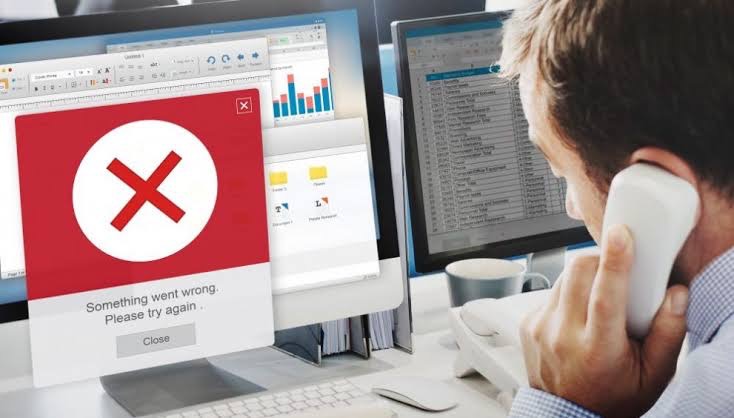
A convincing logo, familiar company name or even a verification badge does not automatically prove that a customer-care account is genuine. When someone contacts you unexpectedly after you complain online, verify the account independently before sharing any financial, login or security information.
You complain publicly about a failed transfer, missing airtime or locked account, and within minutes someone claiming to be “customer care” enters your DMs offering to help. The response may look reassuring, but before sharing an OTP, account number or other information, make sure you are actually speaking to the company. If a supposed customer-care account sends you a direct message after you publicly complain about a bank, fintech, telecom company, online store or other service, do not assume that the speed of the response proves it is genuine.
Fraudsters can monitor public posts mentioning popular companies, create accounts with similar names, logos and profile descriptions, then approach frustrated customers while they are actively looking for help. The Central Bank of Nigeria’s fraud and scam guidance specifically warns about phishing and social-engineering schemes in which criminals pose as legitimate organisations or trusted figures to obtain confidential information. It recommends verifying the sender independently before providing sensitive information.
The safest response is therefore simple: stop the conversation temporarily and verify the support channel through information you found yourself.
Why scammers target people who complain publicly
Imagine that a transfer has failed and you post:
“@BankName, I transferred money yesterday but the recipient has not received it. Please help.”That post reveals several useful things to a criminal. They now know which company you use, that you are experiencing a problem and, perhaps most importantly, that you are expecting assistance.
A fake account can reply publicly or move immediately into your DMs:
“Hello valued customer. Kindly send us a private message so we can resolve this urgently.”
The account may copy the bank's logo, use nearly identical colours and select a username that differs from the genuine one by only one character. Because you actually have a problem with that company, the message does not feel random. That is what makes the trick effective.
The US Federal Trade Commission's guidance on business impersonation scams describes the same underlying technique: scammers contact people through calls, emails, texts or social-media messages while pretending to represent a familiar company, then attempt to obtain money or personal information.
Check the username, not just the display name
A display name is easy to imitate. An account can call itself: ABC Bank Customer Care without actually belonging to ABC Bank. Look closely at the underlying username or handle instead.
A scam account might replace a letter, add an underscore, insert the word “helpdesk” or use something that looks convincing at first glance: @ABCBankHelp
versus
@ABCBankHeIp
The second example can be particularly deceptive because an uppercase I can resemble a lowercase l in some fonts. Do not rely on visual similarity alone. Go to the company's official website or mobile app and find the social-media accounts listed there, then compare the handle carefully.
A verification badge is useful, but understand what it means
Verification indicators can help, although they should not be your only test. On X, for example, the meaning of the familiar blue checkmark has changed. According to X's current explanation of profile labels and checkmarks, a blue check generally indicates that an account has an active X Premium subscription and meets the platform's eligibility requirements; it does not automatically mean X independently confirmed that the account is the official customer-care account of the company it appears to represent.
X currently uses a gold checkmark for official organisations participating in Premium Business, while grey checkmarks are used for qualifying government and multilateral accounts. Even then, your safest confirmation is to reach the account through the company's own website or app, rather than trusting a badge in isolation.
Be suspicious when “support” immediately asks for security information
A genuine customer-support representative may need information to identify your complaint, but there is an important difference between ordinary account information and credentials that can give someone control of your account.
Be extremely cautious if a supposed support agent asks for your:
- password;
- PIN;
- one-time password or OTP;
- card PIN;
- complete card security details;
- authentication code;
- login approval request;
- recovery code.
Requests to install unfamiliar software, share your screen or move money to a so-called “safe account” are equally serious warning signs.
The CBN advises consumers not to disclose personal or financial information to unverified contacts and to communicate directly with their financial institution when fraud is suspected. An OTP is particularly important because it is often designed to prove that you authorised a particular login or transaction. Giving it to somebody else can defeat the security control it was meant to provide.
Do not use the phone number or link the suspicious account gives you
Suppose the person in your DM says:
“For verification, call our fraud department immediately on this number.”
Calling that number does not independently verify anything if the potential scammer supplied the number.
The same applies to links, Instead, open the company's official app, type its website address yourself or use contact information printed on an authentic bank card, statement or other trusted document.
The FTC recommends exactly this approach: when you are unsure whether an unexpected message is real, contact the organisation using details you independently looked up and know to be genuine. This small distinction is one of the most effective ways to break an impersonation scam.
Look at the account's history
An account profile can reveal inconsistencies that its logo does not. Check when it was created, what it normally posts, whether the organisation's official website links to it, and whether its previous activity resembles a real corporate support account. A recently created profile with a handful of followers that suddenly claims to be the support department of a major Nigerian bank deserves additional scrutiny.
Also examine its replies, fake support accounts frequently send nearly identical messages underneath complaints from multiple customers because the objective is not genuine problem-solving; it is getting as many potential victims into private conversations as possible.
The real company may not message you first
Companies have different customer-support procedures, so there is no universal rule that legitimate businesses never send DMs.
However, an unsolicited private message should increase your level of caution, particularly if it arrives seconds after a public complaint. Do not let urgency determine whether you trust the account.
Statements such as:
“Respond within five minutes or your account will be blocked.”
or
“Send the verification code now so we can reverse the transaction.”
are designed to reduce the amount of time you spend thinking. Social engineering works best when the victim feels rushed, frightened or relieved that help has finally arrived.
What if you already gave the fake account information?
Act according to what you disclosed, if you shared a password, change it immediately anywhere you still use it and enable two-factor authentication where available. If banking information, an OTP or transaction credentials were exposed, contact the financial institution through its verified channel immediately and explain what happened.
The CBN advises people whose banking information may have been compromised to contact their financial institution promptly, while the FTC's guidance for people who have been scammed similarly recommends acting quickly depending on whether money, personal information or account access was exposed.
You should also report the impersonating profile to the social-media platform. X, for example, expressly prohibits deceptive impersonation and provides an impersonation-reporting process for accounts pretending to represent individuals, companies or organisations.
Our Recommendation
When a company appears in your DMs immediately after you complain publicly, treat the message as unverified until you prove otherwise.
Check the exact username, compare it with the social account linked from the company's official website, inspect the profile history and never use a verification link or telephone number supplied solely by the suspicious account. Most importantly, legitimate customer support should not require you to surrender the very credentials designed to protect your account.
A fake customer care profile succeeds because it arrives at precisely the moment you want somebody to solve your problem. Taking an extra minute to verify who is actually responding can prevent that original customer-service problem from becoming a much more serious financial or account-security problem.
Sources & Verification
Central Bank of Nigeria — Fraud and Scam Awareness
Federal Trade Commission — Business Impersonator Scams
X Help — Profile Labels and Checkmarks
guidance for people who have been scammed
X Help — Report Impersonation Accounts
Central Bank of Nigeria — Official Contact Information
Frequently asked questions
Can a fake customer-care account copy a company's logo?
Yes. Profile pictures, names, colours and descriptions can be copied easily, which is why the account's appearance alone should never be treated as proof of authenticity.
Does a blue tick mean a customer-care account is genuine?
Not necessarily. On X, a blue checkmark generally indicates an eligible Premium subscription rather than automatically proving that the account is the official representative of the company it resembles. Check the company's official website for its actual social-media handles.
Should customer care ever ask for my OTP?
Treat any request for an OTP, PIN, password or authentication code as highly suspicious. These credentials can be used to authorise account access or transactions and should not be handed to someone simply because they claim to work for customer support.
How can I verify a bank's customer-care account?
Start from the bank's official website or app and use the contact or social-media information published there. Do not rely solely on a link, username or telephone number sent by the account you are trying to verify.
What should I do with a fake customer-care account?
Stop engaging with it, preserve relevant evidence if necessary, report the profile through the platform's impersonation or scam-reporting tools and contact the real company through a verified channel if you disclosed sensitive information.
SIM Swap Fraud: How Criminals Can Hijack Your Number Without Stealing Your Phone
WhatsApp Is Making Suspicious Account Linking Harder—Here’s Why It Matters
Truecaller Says a Call Is Spam or Fraud. How Much Should You Trust It?
Fake Bank Alert or Real Payment: Here’s How to Verify It Properly
AI Sextortion: What to Do If Someone Threatens You With a Fake Explicit Image
Can Someone Hack Your Phone Just by Calling You? Separate Fact From Fear
Before Installing a Free VPN, Check This
Follow TechView Africa on WhatsApp
Get TechView Africa updates on WhatsApp. Follow our channel for practical technology news, product guides and digital trends from Nigeria and across Africa.
Leave a comment
Comments cannot be edited or deleted after posting. Please review your comment before submitting.
No comments yet. Start the conversation.