

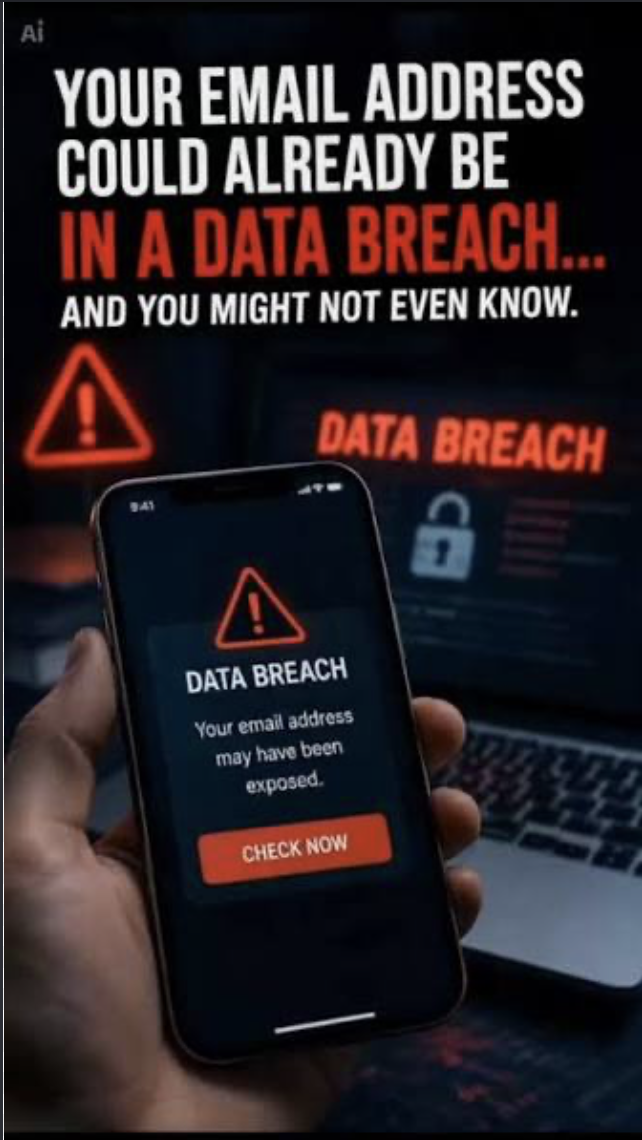
An email address appearing in breached data is not the same as an email account being hacked, although the situation becomes much more serious when passwords, phone numbers or other sensitive information were exposed with it.
Seeing your email address in a breach alert can sound as though someone has already broken into your inbox, although that is not necessarily what happened. The real risk depends on where the information came from, what else was exposed and whether any compromised credentials are still useful to an attacker.
If Have I Been Pwned or another legitimate breach-monitoring service tells you that your email address appeared in a data breach, it usually means an organisation that had your address suffered an incident in which information was exposed, copied or later circulated; it does not automatically mean someone logged into your email account.
That difference is important because breaches vary considerably in severity. An online store might expose email addresses and usernames, while another incident could involve passwords, phone numbers, dates of birth or other information that gives criminals more opportunities for account takeover, phishing or impersonation.
Have I Been Pwned explains in its current description of the information it stores that its breach service keeps email addresses together with metadata showing which breaches they appeared in and which categories of information were exposed, while the actual compromised personal records are not displayed or stored alongside those addresses.
Start with what actually leaked
The most useful first step is to identify the organisation involved and examine the types of information included in the incident, because an exposed email address calls for a different response from an exposed email-and-password combination.
Have I Been Pwned also makes this distinction clear in its breach FAQs, explaining that a breach can contain personal information without necessarily including login credentials, while its separate Pwned Passwords service identifies passwords that have previously appeared in breach data without linking those passwords back to individual email addresses.
If the affected service says passwords were exposed and you still use that password, change it promptly; if the same or a similar password appears on other accounts, those should be changed as well, since the danger does not necessarily remain confined to the company that suffered the original breach.
Why password reuse turns one breach into several risks
Criminals can take lists of leaked email addresses and passwords and automatically test them against other popular services, a technique known as credential stuffing, which becomes effective when people reuse the same credentials across several websites.
Nigeria's Computer Emergency Response Team highlighted this problem in a June 2026 advisory on stolen email credentials, warning that compromised credentials are being used for credential stuffing, account takeover, identity theft, phishing and other attacks.
This means a password leaked from an old shopping account can sometimes create a route into a more important service if the same credential was reused, which is why unique passwords remain valuable even for accounts that do not initially seem particularly sensitive. Where supported, enabling multi-factor authentication or using a passkey can provide another layer of protection, especially for email, cloud storage and other accounts capable of resetting access to additional services.
An exposed address does not prove your inbox was entered
Imagine registering with an online retailer using your normal email address, then learning months later that the retailer's customer database was breached. Your email might appear in the compromised dataset even though the security of Gmail, Outlook, Yahoo or whichever provider operates your actual mailbox was never directly affected. The breach happened to a company that possessed your address, rather than necessarily to your email provider.
Email still deserves particular attention because it often sits at the centre of a person's online accounts, receiving password-reset links, security alerts, invoices and private correspondence; if somebody eventually gains access to the inbox, they may be able to use it to target other accounts.
The US Federal Trade Commission's guidance for compromised email accounts recommends reviewing account activity, changing the password, signing out other sessions, enabling additional authentication and checking that recovery information still belongs to you when there is evidence that an account itself was accessed.
Even an email-only breach can make phishing better
An email address on its own usually does not provide enough information to log into an account, although leaked data can give scammers something else that is extremely useful: context.
If criminals know that your address was associated with a particular retailer, delivery company, subscription service or professional platform, they can create a phishing message that feels more believable, perhaps claiming that a recent payment failed, a delivery requires confirmation or your account needs an urgent security update.
For that reason, unexpected messages about a known breach should still be treated carefully; instead of immediately following a link inside an email or text message, open the company's official application or known website independently and check the account there. This becomes particularly important when a message tries to create urgency, because a genuine breach can itself become the theme of a second scam designed to collect information that was never exposed in the original incident.
Why an old breach can suddenly appear again
A breach alert does not always relate to something that happened recently, because stolen information can circulate for years before being repackaged, combined with other leaks or advertised again.
Nigeria's ngCERT reported on 3 August 2026 that a database of compromised email credentials advertised on an underground forum contained combinations gathered from historical breaches, credential leaks and information-stealing malware campaigns, demonstrating how older information can resurface in new collections.
The age of the exposed information therefore matters when deciding what to do. If a password appeared in a breach several years ago but was changed immediately and never reused, that particular password may no longer provide useful account access, although other exposed details can continue to support phishing and impersonation. Have I Been Pwned also notes that a breach remains part of an address's historical record even after the affected password has been changed, so seeing an old incident listed again does not mean the old password suddenly became active.
Check whether there are signs of actual account compromise
After dealing with exposed credentials, check important accounts for evidence that somebody really gained access, including unfamiliar devices, unexpected login locations, password resets you did not request, changed recovery information or messages you never sent.
For email accounts specifically, review forwarding rules as well, because someone who successfully accessed a mailbox may configure messages to be copied elsewhere without making the change immediately obvious; the FTC includes unfamiliar forwarding rules among the signs users should investigate after suspected email compromise. If you find genuine evidence of account takeover, change the password from a trusted device, sign out other sessions where possible, review recovery settings and strengthen authentication before checking whether connected services were also affected.
Our Recommendation
Finding your email address in a breach should trigger careful investigation rather than immediate panic, because an exposed email address, a leaked password and an actively compromised inbox describe three different levels of risk.
Start by establishing which organisation was affected and what categories of information were exposed, then replace any compromised password that remains active, eliminate reuse across other accounts and strengthen important services with additional authentication; after that, review account activity for evidence that someone actually gained access rather than assuming the breach alert proves they did.
The most useful question is therefore not simply “Was my email in a breach?”, but “What information was exposed, is any of it still usable, and what should I secure now?” Answering those questions gives you a much clearer picture of the real risk than the breach notification alone.
Sources & Verification
Have I Been Pwned — Email Breach Search
Have I Been Pwned — Information and Data Classes Stored
Have I Been Pwned — Frequently Asked Questions
ngCERT — Risks From Stolen Email Passwords and Credentials
FTC — Recovering a Hacked Email or Social Media Account
Frequently asked questions
Does appearing in a data breach mean my email was hacked?
No. It can simply mean that another organisation stored your email address and later suffered a breach, so you should identify which service was involved and what information was exposed before assuming your inbox was accessed.
What should I do if my password appeared in a breach?
Replace it on the affected service and anywhere else you reused the same or a similar credential, then enable stronger authentication on important accounts where available.
Should I change my email address?
Usually not simply because the address appeared in breached data. Securing the account, replacing exposed credentials and watching for targeted phishing attempts are generally more useful responses.
Can criminals do anything with just my email address?
An email address alone normally does not provide account access, although it can support spam, phishing, impersonation and attempts to collect additional information.
Why might an old breach appear in a new alert?
Historical information is sometimes redistributed or combined with data from other breaches and malware campaigns, which means old credentials can resurface years after the original incident.
How can I tell whether my inbox was actually accessed?
Review recent logins, connected devices, recovery information, sent messages and forwarding rules, while investigating any unfamiliar activity or security notifications.

Google Search Can Lead You to Scam Phone Numbers: Why You Should Verify Support Lines
SIM Swap Fraud: How Criminals Can Hijack Your Number Without Stealing Your Phone
Truecaller Says a Call Is Spam or Fraud. How Much Should You Trust It?
That Customer Care Account in Your DMs May Be Fake: Here’s How to Check

That Job Offer May Be a Scam, Watch Out For These Seven Signs People Ignore

WhatsApp Is Making Suspicious Account Linking Harder—Here’s Why It Matters
What Really Happens After You Tap “Delete Account”? We Checked 20 Popular Apps
Follow TechView Africa on WhatsApp
Get TechView Africa updates on WhatsApp. Follow our channel for practical technology news, product guides and digital trends from Nigeria and across Africa.
Leave a comment
Comments cannot be edited or deleted after posting. Please review your comment before submitting.
No comments yet. Start the conversation.