

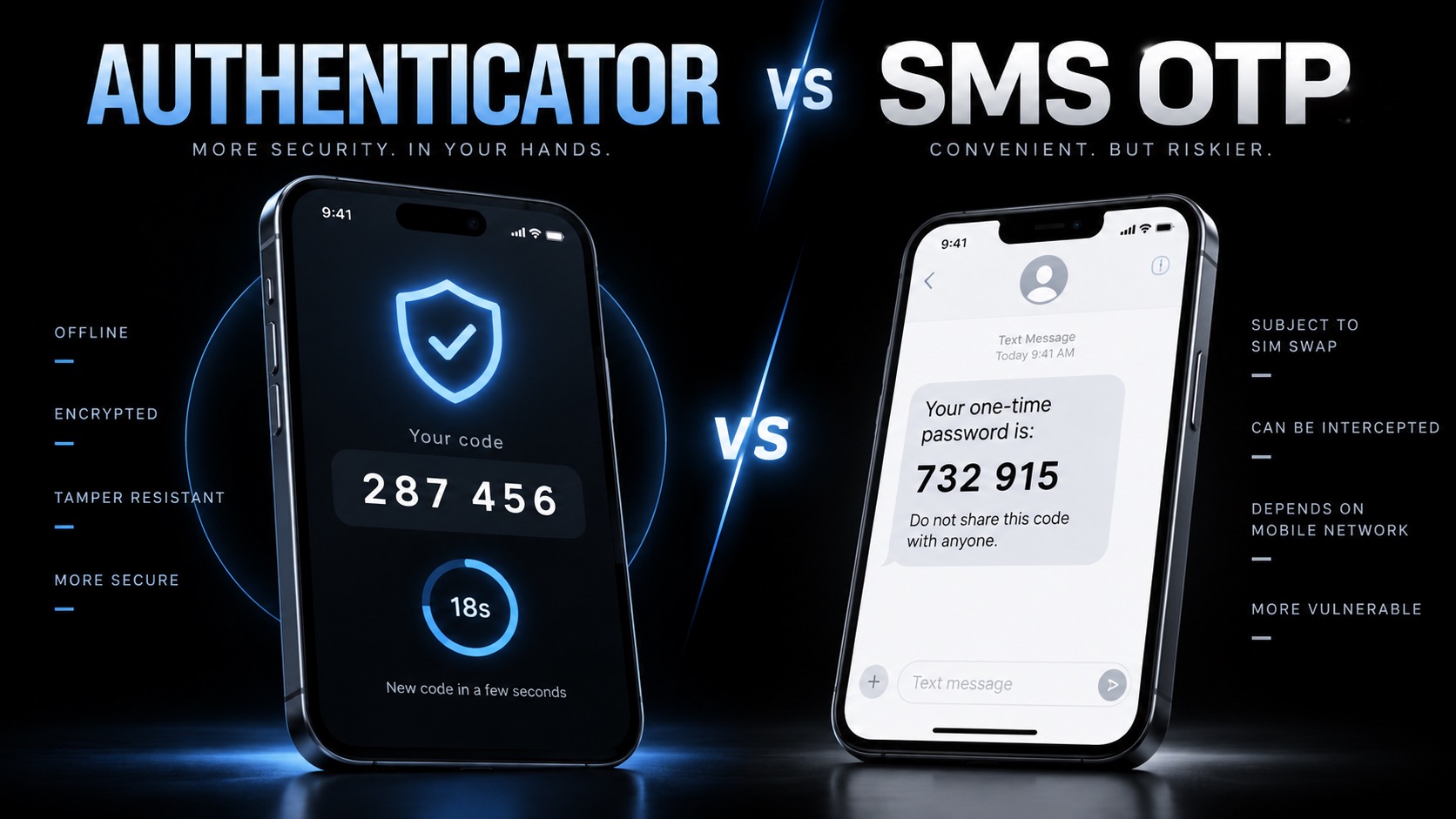
Do not wait until your phone is lost to think about authenticator recovery. Set up at least one secure backup method while you still have access.
Authenticator Apps Vs SMS OTP
Moving from SMS codes to an authenticator app improves security, but it creates an obvious question: what happens to your accounts if the phone generating those codes disappears?
Losing your phone does not automatically mean losing your accounts. Recovery may come from synced authenticator codes, cloud backups, backup codes, another registered authentication method or the service’s account-recovery process. The dangerous situation is discovering after the phone is gone that you never configured any of them.
Authenticator apps solve one important security problem: they do not normally depend on your mobile number. That means a criminal who hijacks your SIM does not automatically receive the changing codes generated inside your authenticator app. TechView Africa previously explained why SIM-swap fraud can make SMS authentication vulnerable, but removing the SIM from the equation raises another question: what happens when the phone itself disappears?
Losing the phone does not necessarily mean losing the codes
The answer depends on how your authenticator app was configured. Google Authenticator can synchronise verification codes with a Google Account. Google says signing into Authenticator with the same account on a new device can automatically restore those synced codes.
It can also be used without a Google Account. In that setup, the codes remain on the device rather than being synchronised elsewhere. If the original phone is lost before the codes are transferred, recovery then depends on the individual services protected by those codes.
Microsoft Authenticator also supports backup and restoration, although Microsoft says backup and restore currently need to remain within the same device type: an iPhone backup cannot simply be restored onto Android, or vice versa.
That is why simply knowing you use “an authenticator app” is not enough. You should know whether yours is actually backed up.
Backup codes are more important than they look
Many services provide one-time recovery codes when two-factor authentication is enabled.
These are easy to ignore because you do not need them during normal logins. Their value becomes obvious when your phone is damaged, stolen or unavailable.
Google, for example, lets users generate a set of backup codes specifically for situations where normal two-step verification is unavailable. Once one is used, it cannot be used again.
The important part is where you store them, keeping your only copy as a screenshot on the same phone running your authenticator defeats much of the purpose. Store recovery codes somewhere separate and secure.
What should you do immediately after losing the phone?
First, secure the missing device.
If remote-device controls are available, lock or erase it. Google specifically recommends preventing anyone with a lost phone from accessing locally stored authenticator codes.
Then review the important accounts protected by that device, starting with your primary email account, because email is often the recovery route for everything else.
If your codes were synchronised or backed up, restore them on the replacement device. If they were not, use backup codes or another previously registered authentication method, then remove the lost authenticator and enrol the new one. Do not wait for suspicious activity before doing this.
Should you keep SMS enabled as a backup?
This is where security and convenience can conflict. SMS can rescue you from an authenticator lockout, but leaving it as an account recovery method can also reintroduce the phone number weakness you were trying to avoid.
For important accounts, a better recovery arrangement can be backup codes, another trusted authenticator, a security key or a passkey, depending on what the service supports.
TechView Africa’s explanation of why passkeys resist phishing better than traditional passwords and one-time codes is particularly relevant here. NIST does not consider manually entered one-time passwords phishing-resistant because a fake website can capture and relay them.
A stronger option is increasingly available
Authenticator apps remain a worthwhile improvement over SMS, but they are not the final stage of account security.
Passkeys and physical security keys can provide stronger phishing resistance while modern credential systems increasingly support synchronisation and recovery across devices.
Our Recommendation
Passkeys: A simpler and more secure way to log in — Google Chrome on YouTube
If you switch an important account from SMS to an authenticator app, finish the job by configuring recovery immediately.
Check whether your authenticator is synchronised or backed up, save the service’s recovery codes somewhere separate from your phone, and register another secure authentication method where possible.
For your most important accounts, especially email and cloud storage, consider adding a passkey or security key as well.
Authenticator apps are safer than relying on SMS alone. The mistake is treating recovery as something you can figure out after the phone is already gone.
Sources & Verification
Google — Get Verification Codes With Google Authenticator
Google — Fix Problems With 2-Step Verification
Google — Sign In With Backup Codes
Microsoft — Back Up Accounts in Microsoft Authenticator
Frequently asked questions
Will I lose my accounts if I lose my authenticator phone?
Not necessarily. You may be able to restore synced codes, use backup codes or authenticate through another registered method.
Can Google Authenticator restore codes on a new phone?
Yes, if the codes were synchronised with your Google Account. Device-only codes require a different recovery route if the old phone is unavailable.
Can Microsoft Authenticator restore a backup?
Yes, although Microsoft says backup and restore must currently use the same device type.
Are authenticator codes phishing-proof?
No. A convincing fake login page can potentially capture a manually entered code and relay it before it expires.

Binance Hack: What Two Blockchain Investigations Reveal About $6.3 Billion in Outflows

PHP2Shell Exploitation: How to Check and Patch Your Website

AI4Elections Hackathon: How Nigerian Innovators Can Build a Strong Entry

Targeted Ads Delivered Zero-Click Spyware. What African Publishers Should Check
Google’s eMudhra Certificate Removal: What Website Owners in Africa Need to Know
NDPC Registration in Nigeria: Does Your Business Need to Register?
How to Check AI Images, Videos and Audio With Google's SynthID Detector
Follow TechView Africa on WhatsApp
Get TechView Africa updates on WhatsApp. Follow our channel for practical technology news, product guides and digital trends from Nigeria and across Africa.
Leave a comment
Comments cannot be edited or deleted after posting. Please review your comment before submitting.
No comments yet. Start the conversation.