

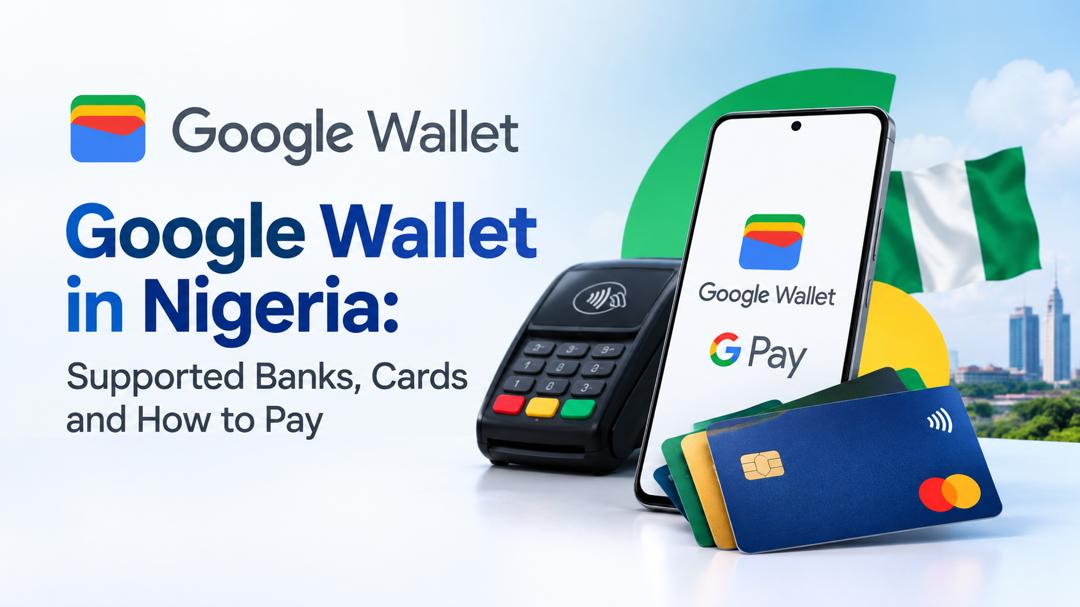
Google Wallet is now available in Nigeria, but card eligibility varies by bank and payment provider. Check Google's supported-card list and confirm your specific card's compatibility before relying on your phone for payments.
Google Wallet and Google Pay launched in Nigeria on 28 October 2026. Google's published directory lists eligible cards from FirstBank, GTBank, UBA and Zenith Bank. Interswitch has a separate five-bank tokenisation initiative involving GTBank, Wema, ProvidusUnity, Zenith and FirstBank. ProvidusUnity's eligible Mastercard integration has also been reported separately. These lists describe different levels of availability, so customers should check their card and payment method rather than relying on a bank's name alone.
Google Wallet and Google Pay launched in Nigeria on 28 October 2026, giving eligible bank-card holders another way to pay using compatible Android devices. Customers can make contactless payments at supported terminals and use Google Pay at participating online and in-app checkouts.
However, the rollout involves several banks, card networks and payment processors, and their published lists do not describe exactly the same services. Google currently identifies four Nigerian banks in its supported-card directory, while Interswitch has announced a wider initiative involving five banks. A separate bank-level report also identifies ProvidusUnity as having enabled eligible Mastercard cards.
Understanding these arrangements is important because being named in a payment partnership does not automatically mean every card issued by that bank can be added to Google Wallet or used for contactless payments.
Which Nigerian bank cards support Google Wallet?
Google's Nigerian payment-method directory currently lists four financial institutions and the specific card products supported for payments through Google Wallet on phones and smartwatches.
| Bank | Card products listed by Google |
|---|---|
| FirstBank | Mastercard debit |
| GTBank | Mastercard debit and prepaid |
| UBA | Mastercard credit, debit and prepaid; Visa prepaid |
| Zenith Bank | Mastercard credit, debit and prepaid |
The list is narrower than simply naming the participating banks. For example, a customer having a GTBank account does not automatically qualify unless the particular card is supported. The same applies to Visa and Mastercard products issued by other participating institutions.
UBA's 28 October announcement said eligible Visa and Mastercard customers could use Google Pay. Its published product details should nevertheless be checked against Google's directory, which currently identifies UBA's Visa prepaid card alongside its supported Mastercard products.
Google also states that individual banks determine which of their cards can be enabled. A bank may restrict some products even when other cards from the same institution are supported. Customers can check the official Google Wallet supported-payment-methods list for Nigeria before attempting to add a card.
What Interswitch's five-bank partnership covers
On 26 October 2026, Interswitch announced a tokenised payments initiative involving five Nigerian banks:
- GTBank
- Wema Bank
- ProvidusUnity Bank
- Zenith Bank
- FirstBank
The initiative is intended to expand tokenised transactions across Google Pay, Apple Pay and participating bank mobile applications. Interswitch says its role involves supporting the issuer connectivity, tokenisation and payment-processing capabilities needed to extend digital-wallet and tap-to-pay services to merchants and customers.
The five-bank partnership is not identical to Google's published card-support list. Three institutions appear in both lists: FirstBank, GTBank and Zenith Bank. UBA appears in Google's directory but is not among the five banks named in Interswitch's announcement. Wema Bank is included in Interswitch's initiative but does not currently appear in Google's Nigerian card directory.
ProvidusUnity requires additional qualification. BusinessDay reported on 27 October that the bank had enabled eligible Mastercard holders to use Google Pay. However, ProvidusUnity does not appear in Google's current Nigerian directory.
This means the bank's reported integration and Google's published eligibility documentation are not yet fully aligned. Customers with ProvidusUnity cards should confirm the exact supported product with the bank before relying on it for a transaction.
The wider partnership should therefore be understood as an infrastructure and issuer-connectivity initiative, not a guarantee that every card issued by all five banks is already available for every Google Wallet feature. Interswitch's announcement also refers to Apple Pay and bank applications within its broader initiative, but does not establish that every named service has launched locally.
Online Google Pay checkout is a separate payment route
There is another part of Nigeria's Google Pay story that receives less attention: online checkout.
Interswitch announced support for Google Pay on its Payment Gateway in September 2023, three years before Google's October 2026 Nigerian Wallet announcement. The earlier integration concerned merchants using Interswitch's online payment infrastructure; it was not the same development as the later local expansion of Google Wallet and contactless payments.
Interswitch's published developer documentation explains how a customer can select Google Pay at an Interswitch Payment Gateway checkout and pay using a saved card or add a card during the process.
Its documentation also publishes a card-network table that lists Mastercard Naira and Verve for all Nigerian banks, alongside other international card-network options.
This is broader than Google's current Nigerian phone and smartwatch payment directory. However, the Interswitch documentation is specifically about its own payment gateway and is marked as last updated approximately six months before this review. It should not be interpreted as proof that every Verve or Mastercard product can now be added to Google Wallet for in-store contactless payments.
The two documents describe different payment routes. A card may be listed in a merchant gateway's documentation without that documentation establishing its eligibility for Google's broader phone-based Wallet service. Customers and merchants should confirm current gateway support with Interswitch rather than assume that the published network table guarantees every transaction will succeed.
The distinction is useful when considering why Google Pay may appear at an online checkout even when a particular card is not listed for Google Wallet's local contactless functionality.
What do you need to pay with Google Wallet in Nigeria?
For in-store contactless payments, three things must work together:
- An eligible payment card: The card must be supported by Google and its issuing bank must allow it to be used with Google Wallet.
- A compatible phone: An Android phone with Near Field Communication (NFC) is required for contactless tap-to-pay.
- A participating payment terminal: The merchant's POS terminal must support contactless payments and accept the relevant payment method.
For online and in-app payments, the process is different. The merchant's checkout must offer Google Pay, and the card and payment route must be supported. NFC is not required simply to complete an online transaction.
Google Wallet can also store items such as loyalty cards, event tickets and boarding passes. These storage functions are separate from the ability to make payments with a bank card.
How to set up Google Wallet
Customers with eligible cards can follow these steps:
- Install or open Google Wallet on a compatible Android phone.
- Select Add to Wallet, then choose Payment card.
- Scan the card or enter its details manually.
- Review the issuer's terms and complete any verification requested by the bank.
- Once the card has been added successfully, enable NFC on the phone before attempting an in-store contactless payment.
If a card cannot be added, check Google's current supported-card directory and contact the issuing bank using the number on the back of the card.
For online purchases, customers should look for the Google Pay option when checking out on a participating website or app. Its availability will depend on the merchant's payment gateway and the card being used.
What tokenisation means for payment security
Digital-wallet transactions use tokenisation to reduce the exposure of actual card details. Instead of repeatedly transmitting the underlying card number in the same way as a conventional card transaction, a supported payment uses a substitute digital credential.
Interswitch describes this as a way to limit the exposure of sensitive card information during transactions. It can strengthen payment security, but it does not eliminate account compromise, phishing, device theft or other forms of financial fraud.
Customers should use a secure phone lock, protect their Google account and act promptly if a device containing payment credentials is lost. Our examination of Nigeria's digital-payment fraud problem explains why protecting account access remains important as more financial activity moves to digital channels.
What users should expect as more banks join
Nigeria's digital-wallet rollout is developing through separate relationships among banks, card networks, payment processors, technology providers and merchants. The number of banks named in a partnership announcement is therefore not, by itself, a reliable measure of how many card products consumers can use immediately.
Google's published list provides the clearest starting point for checking phone and smartwatch card eligibility. Bank announcements can provide additional information about issuer-level activation, while Interswitch's partnerships and gateway documentation describe other parts of the payment infrastructure.
As more banks enable eligible cards and more merchants support contactless transactions or online Google Pay checkout, the range of available payment options may expand. For now, customers should establish which route their bank card supports before depending on a phone as a replacement for a physical card.
Sources & Verification
Google Wallet and Google Pay are now available in Nigeria
Find supported payment methods – Nigeria
Interswitch partners with five leading Nigerian banks to drive tap-to-pay adoption
Frequently asked questions
1. Is Google Wallet available in Nigeria?
Yes. Google Wallet and Google Pay launched in Nigeria on 28 October 2026. Eligible customers can use supported bank cards for contactless payments on compatible Android phones and smartwatches, as well as online and in-app payments at participating checkouts.
2. Which Nigerian banks support Google Wallet?
Google's published supported-card directory currently lists FirstBank, GTBank, UBA and Zenith Bank. However, eligibility depends on the specific card type. Not every debit, credit or prepaid card issued by these banks is necessarily supported.
3. Is Wema Bank supported by Google Wallet in Nigeria?
Wema Bank is among the five institutions named in Interswitch's tokenisation initiative, but it does not currently appear in Google's published Nigerian supported-card directory. Its inclusion in the partnership does not automatically confirm that its cards are available for Google Wallet contactless payments.
4. Can I use Google Pay for online purchases in Nigeria?
Yes. Google Pay is supported through participating online payment gateways, including Interswitch's Payment Gateway. However, availability depends on the merchant's checkout integration and whether your particular card and payment route are supported.
5. What do I need to pay with Google Wallet in Nigerian stores?
You need an eligible bank card, a compatible Android phone with NFC enabled, and a merchant's POS terminal that supports contactless payments. You must also complete any card verification required by your issuing bank before making a payment.
CBN’s January 2027 Data Rule: What Nigeria’s Banks and Fintechs Actually Have to Move
Inside the $213 Billion Payments Business Airtel Wants to Take Public
Can You Disable Instant Bank Transfers in Nigeria? CBN Rules Explained
Stripe and Advent Drop $53 Billion PayPal Pursuit: What It Means for African Online Payments
Africa Is Connecting Payment Systems: What That Could Eventually Change for Consumers
Could Stripe Buying PayPal Finally Make Online Payouts Easier in Africa

Sent Money to the Wrong Account in Nigeria? Act Fast, Here’s What to Do
Follow TechView Africa on WhatsApp
Get TechView Africa updates on WhatsApp. Follow our channel for practical technology news, product guides and digital trends from Nigeria and across Africa.
Leave a comment
Comments cannot be edited or deleted after posting. Please review your comment before submitting.
No comments yet. Start the conversation.