

For a laptop expected to last several years, 16GB is the safer student target; 8GB is better treated as the budget minimum.
Is 8GB RAM Still Enough for Students in 2026?
We compared recent real world tests of 8GB and 16GB Windows laptops with current 8GB and 16GB MacBooks to find out where students actually begin to feel the difference.
8GB can still handle basic coursework, but recent Windows testing shows 16GB provides noticeably smoother multitasking. Apple’s 8GB MacBook Neo performs unusually well, although heavier workloads still push it into swap memory.
A laptop with 8GB of RAM can still open Word, browse the web and join an online class in 2026. The harder question is what happens when a student does all of those things at the same time.
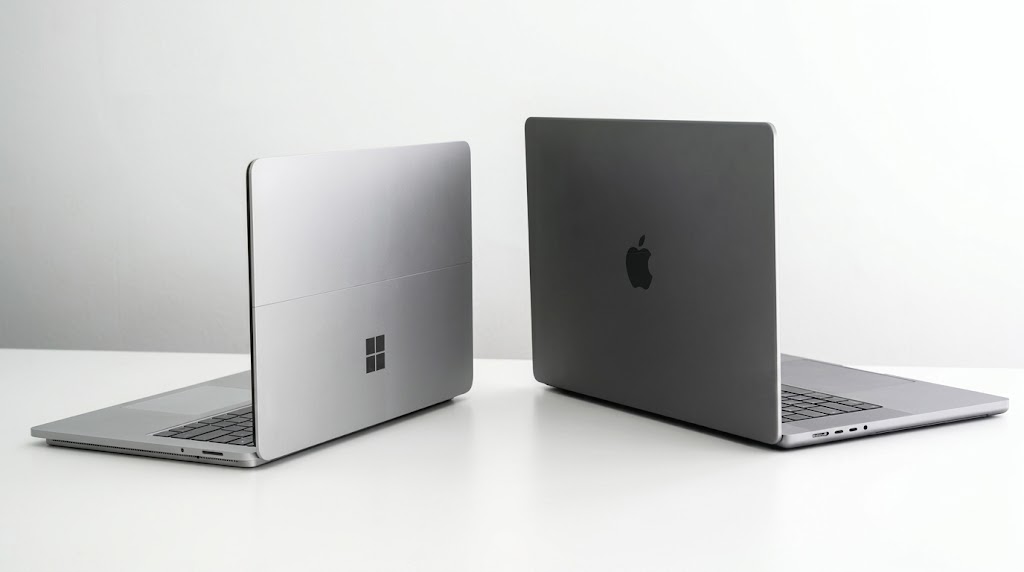
TechView Africa reviewed recent hands-on tests and current software requirements to compare the practical difference between 8GB and 16GB systems, including Windows laptops, Apple’s 8GB MacBook Neo and the 16GB MacBook Air.
8GB and 16GB Windows laptops behaved differently with ordinary browser work
The clearest comparison came from a 2026 Dell XPS 13 test in which the same laptop generation was evaluated with 8GB and 16GB of memory. With 15 identical Chrome tabs open, the 16GB configuration switched between pages more smoothly. The 8GB version more often paused or briefly displayed a blank page before the tab became usable again.
A separate test of the same XPS generation pushed the machines further. With around two dozen Chrome tabs and photo-editing software running, the 8GB model reached roughly 97–98% memory use, compared with about 80–81% on the 16GB machine.
That is the practical advantage of extra RAM: not necessarily dramatically faster Word documents, but more breathing room when several things are open.
Minimum requirements can be misleading
Microsoft still lists only 4GB RAM as the minimum for Windows 11, and Microsoft 365 also lists 4GB for Windows. But software designed for heavier multitasking tells a different story.
Zoom’s desktop app lists 4GB as the minimum but 16GB as recommended, while Adobe Photoshop currently requires at least 8GB and recommends 16GB or more. For a student running a video class, browser tabs, PDFs and Office apps simultaneously, the recommended figure is often more useful than the minimum.
MacBooks show why “8GB” does not always mean the same thing
Apple complicates the comparison. The 2026 MacBook Neo has 8GB of unified memory, while the current M5 MacBook Air starts at 16GB.
In an independent stress test, the 8GB MacBook Neo remained responsive even with 59 browser tabs and demanding creative work. However, the machine was reportedly using as much as 8GB of swap memory SSD storage temporarily helping when physical memory was full.
This does not mean 8GB on a Mac equals 16GB on Windows. Apple silicon uses a different memory architecture, and macOS manages memory differently. It does show why judging a laptop from the RAM number alone can be misleading.
What this means for actual student workloads
| Student workload | 8GB | 16GB |
|---|---|---|
| Word, PDFs, email, light browsing | Enough | Comfortable |
| 15–20 browser tabs + Office | Workable, less headroom | Better |
| Zoom + tabs + PDFs + Office | Can work | Safer choice |
| Coding + browser + local tools | Increasingly limiting | Recommended |
| Photoshop or heavier creative work | Minimum territory | Recommended |
| Buying for 3-4 years | Budget option | Better long-term target |
Students who mostly write assignments, read PDFs and keep a modest number of browser tabs open can still manage with 8GB on a modern machine.
The case for 16GB becomes stronger for students who regularly keep 20 or more tabs open, attend Zoom classes, use large PDFs, code, edit images or expect the laptop to remain comfortable for several years.
TechView Africa’s existing student laptop guide similarly treats 8GB as the minimum sensible memory level rather than the ideal ceiling. Best Affordable Laptops for Students Who Mostly Use Browsers, Office and Zoom
Our Recommendation
For Nigerian students buying a laptop on a tight budget, 8GB is still defensible when the workload is basic and the saving is meaningful.
But if the choice is between otherwise similar laptops and the budget allows it, choose 16GB.
It gives Windows noticeably more multitasking headroom, matches the recommended memory for increasingly common applications, and reduces the likelihood that an otherwise capable laptop begins feeling constrained before graduation.
The 8GB MacBook Neo is an important exception because current testing suggests Apple’s memory management lets it stretch surprisingly far. Even there, students expecting sustained creative or technical workloads should recognise that efficient swap usage does not create additional physical memory.
Methodology and Limitations
TechView Africa compared current official system requirements with recent independent hands-on tests rather than conducting a physical laboratory benchmark.
The Windows evidence includes controlled 8GB-versus-16GB configurations from the same laptop generation. The MacBooks are reference comparisons, not RAM-isolated tests, because Apple and Windows hardware and memory architectures differ.
The findings therefore answer a practical buying question rather than claiming that 8GB performs identically across every laptop.
Verification Links
Sources & Verification
Tom’s Hardware — Dell XPS 13 8GB vs 16GB Real-World Test
Microsoft — Windows 11 System Requirements
Microsoft — Microsoft 365 System Requirements
Zoom — Windows and macOS System Requirements
Adobe — Photoshop Technical Requirements
Apple — MacBook Neo Technical Specifications
Frequently asked questions
Is 8GB RAM enough for university work in 2026?
For basic browsing, Office documents, PDFs and lighter workloads, yes. Heavy multitasking makes 16GB increasingly preferable.
Is 8GB on a Mac the same as 8GB on Windows?
No. The operating systems and memory architectures differ, so the number alone should not be used as a direct performance equivalence.
Should a student buy 16GB if possible?
For a laptop intended to last several years, 16GB provides substantially more headroom and is the safer long-term choice.
Spotify Audiobooks Are Now in Nigeria: Prices, Listening Limits and How It Works

Best Affordable Laptops for Students Who Mostly Use Browsers, Office and Zoom

What Really Happens After You Tap “Delete Account”? We Checked 20 Popular Apps

Meta Charm Has Its Own 5G Connection. What Can It Do That Your Phone Cannot?

Apple Has Finally Joined Huawei and Xiaomi’s Foldable Fight But Who Are These Ultra-Premium Phones Really For?
We Checked What It Costs to Repair 20 Popular Smartphones in Nigeria: Screens Are the Expensive Part
Huawei’s Mate XT2 Folds Twice and Shows How Fast Premium Smartphones Are Changing
Follow TechView Africa on WhatsApp
Get TechView Africa updates on WhatsApp. Follow our channel for practical technology news, product guides and digital trends from Nigeria and across Africa.
Leave a comment
Comments cannot be edited or deleted after posting. Please review your comment before submitting.
No comments yet. Start the conversation.