

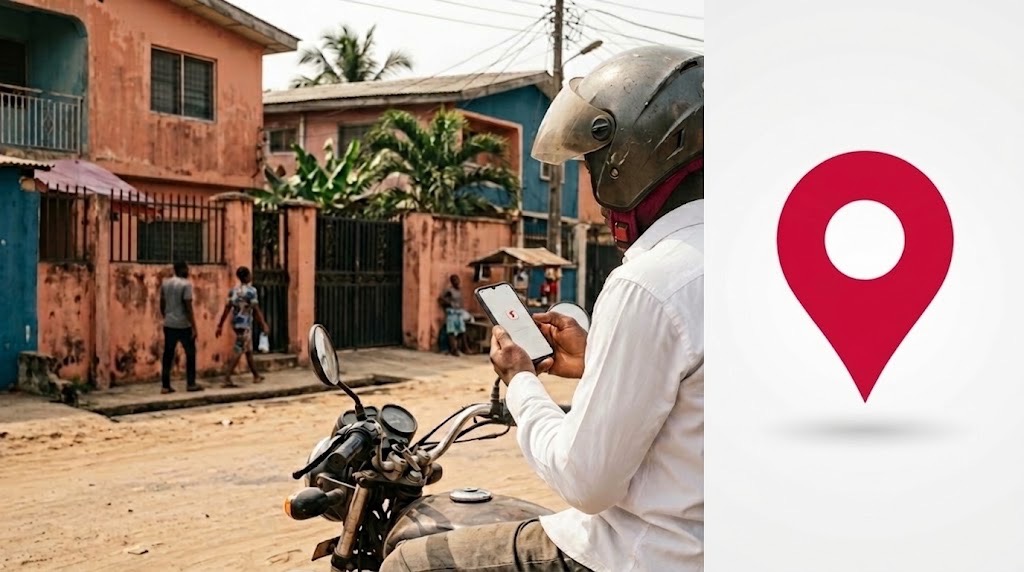
Your digital postcode identifies your building, not you personally. Find it through NIPOST’s official platform, confirm the correct property and use the complete code alongside your written address. If a form rejects it, check which postcode format the service accepts rather than altering the code.
How to Find and Use Your Digital Postcode in Nigeria
Open NIPOST’s official postcode finder, locate and select your building, then confirm the displayed location before copying its code. Nigeria’s digital postcode contains 11 letters and numbers and identifies a building rather than its occupants. Use it alongside your written address.
A postcode is useful only if it points to the place you actually mean. When arranging a delivery, sharing an office location or completing an address form, selecting a nearby building can create a plausible-looking address that sends someone to the wrong destination.
To find your digital postcode in Nigeria, begin with the official NIPOST postcode finder. The essential task is to identify your building, check its location and copy the assigned code accurately. A result appearing on the screen is the beginning of that check, not the end.
What is a digital postcode in Nigeria?
Nigeria’s digital postcode is an 11-character combination of letters and numbers associated with an addressable building or location. NIPOST distinguishes it from the conventional six-digit postcode, which identifies a broader postal area.
In its explanation of the postcode system, NIPOST uses FC 02 A09 DB 09 as an example. The groups narrow the location through geographical levels towards a building; “FC” represents the Federal Capital Territory. This is an illustrative code, not a postcode to copy into your own address.
The digital system was launched nationally on 1 October 2026. Its practical purpose is to give people and organisations a consistent reference for a location, even when they describe its street address differently.
How to find and check your digital postcode
You will need an internet connection and enough knowledge of the property to recognise it on a map. Being at the building can help, although the web finder also offers a Google Maps link option.
1. Open the official postcode finder
Visit postcode.gov.ng/find. At the time of verification, the website offered three options: use your location, use a map link or use an existing postcode. It stated that the finder did not require an account or sign-in.
Choose the option that matches the information you have. Looking up a code you already know is also useful when checking a location someone has sent you.
2. Locate the building
If you use your current location, allow location access when prompted. If you are searching remotely, ensure any map link you provide refers to the intended property rather than a nearby road or meeting point.
Follow the finder’s prompts, then inspect the surrounding roads and buildings. Your phone’s location is a starting point; it should not replace checking the property itself.
3. Select and confirm the property
NIPOST’s building-selection guidance explains that selecting the building reveals its postcode. Compare the highlighted property with its position on the street, neighbouring structures and any displayed address details.
For example, if you live in the rear building of a compound, do not assume the building nearest the entrance is yours. This distinction matters wherever several roofs appear close together.
4. Copy the complete code
Once satisfied, copy the displayed postcode rather than reconstructing it from memory. Save it with a recognisable label and its written address so you can distinguish your home, workplace and other frequently used locations.
What to do when something looks wrong
A missing building and an incorrect building record require different responses. Use the following checks before sharing a postcode.
| Problem | What to do |
|---|---|
| Your location points to the wrong property | Recheck the map and select the intended building. |
| Your building is missing | Use the official postcode request process. Provide the location information requested. |
| The building is correct but its details are wrong | Submit an edit through the official service. |
| A code someone sent points elsewhere | Ask them to confirm their building before relying on it. |
| A form rejects your code | Check the required postcode format with the service provider. |
NIPOST’s FAQ explains that missing buildings can be submitted for review through its website or app. Its correction guide describes how to suggest changes to an existing record.
Do not invent a code or substitute your neighbour’s. After requesting a correction, revisit the record to confirm that the relevant information has actually changed.
Which postcode should you enter on a form?
A form labelled “postcode”, “postal code” or “ZIP code” does not necessarily explain which Nigerian format it accepts. Check the country selection, field instructions and any example provided before entering your details.
If the service explicitly requests the conventional six-digit postcode, use the verified code for the relevant postal area. If it supports Nigeria’s digital postcode, supply the building’s complete assigned code.
Where the requirement is unclear, ask the provider. Do not remove letters, truncate the digital postcode or enter a random number simply to pass validation. A form accepting an entry does not prove that the resulting address is correct.
How to use a postcode for deliveries
Keep three pieces of information together: the written address, the confirmed postcode and any necessary access instructions. The address describes the destination, the postcode identifies the mapped location, and instructions explain how to reach the recipient within it.
An office on an upper floor or a flat behind a shared entrance may still need additional directions. NIPOST’s sharing guidance recognises that identifying a building does not remove the need for access instructions or navigation.
For sellers, a useful operational check is whether postcode use reduces calls about locating customers. Separate those complaints from late dispatch or unanswered messages when analysing customer feedback: an address improvement will not solve every delivery problem.
Does a postcode prove someone lives or trades there?
A postcode identifies a location. Possessing or sharing it does not, by itself, establish someone’s identity, residence or relationship with a business.
NIPOST separately describes a proof-of-address service. Before relying on any document, check the receiving organisation’s requirements; finding a building’s code is not the same as satisfying its verification process.
Likewise, a seller displaying a postcode has not automatically demonstrated that its shop or offer is trustworthy. Follow the wider checks in our guide to verifying an online store before sending money.
Our Recommendation
Find your building once, verify it carefully and save its postcode alongside the full address. Recheck the location when you move or notice an error, and confirm the required format whenever a service rejects the code. The goal is an accurate, usable address not merely a completed form.
Sources & Verification
NIPOST: Official postcode finder
NIPOST: Digital postcode explained
NIPOST: Selecting the correct building
NIPOST: Frequently asked questions
Frequently asked questions
Is finding my digital postcode free?
NIPOST says individuals can find, save and share digital postcodes for free. That statement concerns these functions; it should not be read as a promise that every additional service is free.
Can tenants in the same building share a postcode?
Yes. NIPOST assigns the postcode to the building rather than each occupant. Include your flat, floor or office details where needed to distinguish your destination within the property.
Does my postcode move with me?
No. When you move to another building, use that building’s postcode and update the address records that need your new location.
WhatsApp Business Platform Charges Are Live: What Nigerian SMEs Need to Check Now

Nigeria at 66: Six Numbers That Explain How Digital the Country Has Become
U.S. Extends $100,000 H-1B Restriction. What It Means for Nigerian Tech Workers
Nigeria Wants Banks and Telcos to Ask Before Checking Your NIN
Lagos Court Draws a Line Between Contact Access and Consent in Truecaller Case

Nigeria Is Going ‘Cloud First’: Can Its Infrastructure Keep Up

From Idea to Clickable Prototype: How to Test a Product With AI Before You Build It
Follow TechView Africa on WhatsApp
Get TechView Africa updates on WhatsApp. Follow our channel for practical technology news, product guides and digital trends from Nigeria and across Africa.
Leave a comment
Comments cannot be edited or deleted after posting. Please review your comment before submitting.
No comments yet. Start the conversation.