

The most important AI-video skill is not writing one enormous prompt. It is breaking a story into controllable production stages and keeping human judgement over continuity, pacing, accuracy and the final edit.
A Script Is Not a Video Prompt: From Storyboard to Export, How to Build a Finished AI Video
Paste a 60-second script into a modern AI system and it may be able to generate moving images, voices and even sound. That does not mean it has produced a finished video.
A script tells you what the story says. A video also has to decide what the viewer sees, when the shot changes, how a person or object remains consistent from one scene to the next, where narration begins and ends, how music sits beneath speech, where captions appear and whether the final composition still works when converted from YouTube landscape to TikTok vertical.
That distinction matters more as AI video improves. Google’s current Veo 3.1 can work from reference images, maintain character guidance, control camera movement, extend scenes and generate audio alongside video. Runway’s Gen-4.5 supports text-to-video and image-to-video generation, while Adobe Firefly can now expose several generation models including Runway Gen-4.5 and Veo 3.1 inside a broader creative workflow.
The models will change. The production logic is much more durable.
The workflow from script to finished video
| Stage | What you should have before moving on |
|---|---|
| Script | Final spoken words, intended audience and target duration |
| Visual breakdown | A clear visual idea for every section of the script |
| Storyboard | Ordered scenes and shot intentions |
| References | Character, location, product and style references where consistency matters |
| Generation | Individual usable shots, not one giant generated movie |
| Voice | A clean narration or dialogue track |
| Edit | Shots assembled and timed against the story |
| Sound | Music, ambience and effects supporting rather than overpowering speech |
| Captions | Corrected captions generated from the final spoken track |
| Delivery | Versions framed and exported for their actual platforms |
Lock the script before generating footage
Video generation becomes expensive and confusing when the script is still changing underneath it. Read the script aloud first. A sentence that reads well on a page can be awkward when spoken. Remove repeated ideas, decide which lines belong in narration rather than on-screen text and establish the approximate duration before generating ten scenes you later discover are unnecessary.
This is similar to Techview Africa's approach to creating a professional presentation with AI, structure should come before decoration. AI can accelerate production, but it should not decide what the story is trying to say. A useful script should also distinguish between what is spoken and what must be seen. If the narration says, “Electric motorcycles are spreading across African cities,” merely generating a person saying those words on camera wastes the visual medium. The shot might instead show charging, battery swapping, traffic or a map, whatever actually advances the explanation.
Turn sentences into visual beats
Do not treat the whole script as one prompt, break it into visual beats: moments where the viewer needs a different image, action, location, graphic or perspective. A 60-second explainer might require eight to twelve useful shots rather than one 60-second generation. One sentence may need a wide establishing shot, a close-up and a graphic while another may work with a single screen recording.
This shot-by-shot approach also fits the way current generators actually work. Runway’s Gen-4.5, for example, currently generates clips measured in seconds rather than finished long-form productions, with its own interface supporting durations from two to ten seconds.
That limitation can be productive, it forces you to ask what each shot is supposed to accomplish.
Storyboard before you animate
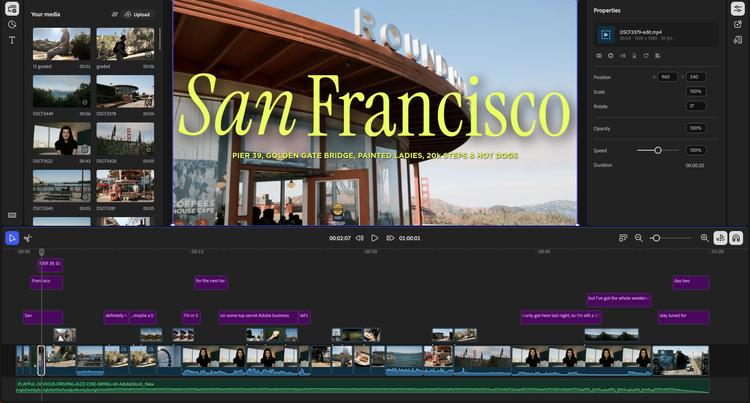
A storyboard does not have to be beautifully drawn. Its job is to stop you from discovering the structure only after you have generated dozens of clips. For every shot, decide the subject, framing, action, camera movement, environment and approximate duration. Also note what must remain consistent with the previous shot.
If the same presenter appears in five scenes, do not independently describe that person five times and hope the model reconstructs them identically. Build a reference image or small reference set first. Google specifically supports character, scene and object references in Veo 3.1, while image-to-video systems such as Runway let the reference image establish the composition, subject, lighting and style while the prompt concentrates more heavily on movement.
This is the difference between prompting for a picture that moves and directing a sequence.
Generate shots, not the finished film
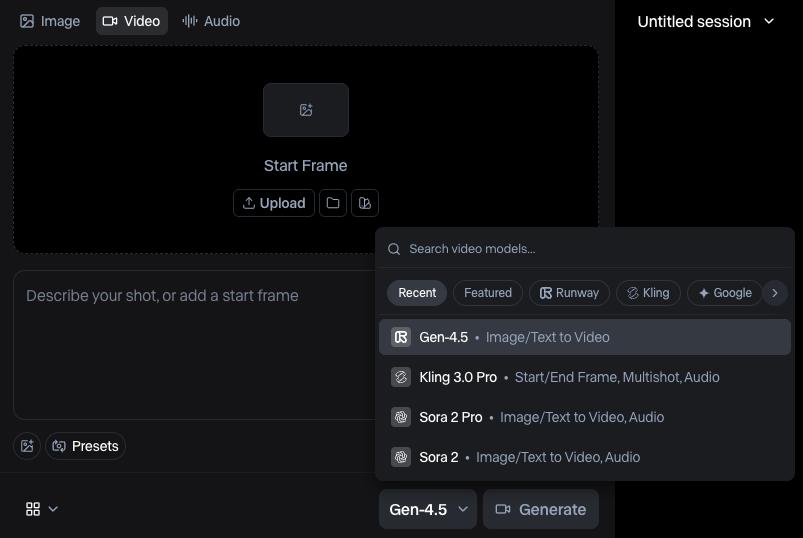
Now generate each shot according to its job. Text-to-video is useful when the entire visual needs to be invented. Image-to-video is usually more controllable when you already know what the frame should look like. Runway’s own guidance makes the distinction explicitly: text-to-video prompts need to describe the visual scene as well as its movement, while image-to-video prompts can focus much more closely on what changes or moves because the image already establishes the frame.
Do not force one model to handle every shot either. One may be stronger for character consistency, another for camera motion, another for realistic product footage. Adobe’s current Firefly environment illustrates where the market is heading: Firefly can provide Adobe’s own video model alongside partner models including Runway Gen-4.5, Veo 3.1 and others, and generated footage can then move into an editing workflow rather than being treated as the finished product.
And not everything should be generated. If a screen recording, real photograph, chart or actual product shot communicates something more accurately, use it.
Make the voice track the timing spine
Once the script is stable, create a clean voice track. That could mean a human recording, your own voice, or synthetic speech. Firefly currently supports speech generation with controls such as voice, accent, speed and pitch, as well as partner speech models such as ElevenLabs Multilingual v2.
For narration-led videos, the voice becomes the timing spine of the edit. Put it on the timeline and then make the visuals answer it. Do not try to force narration to match randomly generated clip lengths afterwards.
A useful working method is to make a rough narration early enough to judge pacing, then record or generate the final voice once the wording is locked.
The edit is where separate clips become one video
This is the stage many “AI video” demonstrations skip. Put the footage on a timeline. Cut weak beginnings and endings. Remove shots that repeat information. Let important visuals stay on screen long enough to understand them. Replace failed generations instead of hiding them behind transitions.
Adobe’s browser-based Firefly video editor currently supports ordinary editing operations including trimming, cutting, text and audio, while generated Firefly, Runway and Veo material can be brought into the timeline. The editor not the generator is where you decide whether the story actually works.
This principle also appears elsewhere in AI production. Techview Africa’s guide to building a website with AI that you can still edit, move and own makes a similar distinction: generation is useful, but control over what happens afterwards is what makes the output dependable.
Add music and sound after the structure works
Music should support pacing, not rescue a weak edit. Finish the basic picture-and-voice sequence first. Then add ambience, transitions, effects and background music where they improve comprehension or mood.
AI can assist here too. Firefly’s current Generate Music workflow can analyse an uploaded video and create a starting music prompt based on attributes such as mood, style, energy and tempo.
But keep checking the mix with headphones and ordinary speakers. A track that sounds dramatic by itself may make narration difficult to understand.
Generate captions from the final speech, not the draft
Captions should come late in the process. If you generate them before the voice track is final, every rewritten sentence creates another synchronisation problem.
Firefly’s current editor can detect speech, generate synchronized captions, let the editor correct the transcript and reposition or restyle the captions. It can also export an `.srt` file separately. Always proofread automatic captions. Names, Nigerian place names, company names, technical terms and accents can be transcribed incorrectly even when the rest of the sentence looks convincing.
Do not treat vertical video as a crop button
A 16:9 YouTube composition does not automatically become a good 9:16 Reel. A subject placed near the side of a landscape frame may disappear when cropped vertically. Captions that are safe on YouTube may sit underneath app controls on another platform.
Decide your important output formats early enough to protect key subjects and text. Current Runway workflows support several aspect ratios, while Adobe Firefly projects provide social-oriented starting dimensions and export options.
Firefly’s current editor exports MP4 video at 720p, 1080p or 4K, depending on the project and selected settings. For important productions, make separate reframed versions rather than assuming one automated crop will serve every platform.
Watch the finished video three different ways
Before export, review the project as a viewer rather than its creator. Watch it once normally. Then watch it muted: can the visuals and captions still communicate the structure? Finally, listen without concentrating on the screen: does the voice and sound mix still make sense?
Inspect generated frames for disappearing objects, changing faces, impossible reflections, unreadable text and inconsistent products or clothing. Confirm factual visuals against reality where accuracy matters. Check captions manually. Make sure third-party music, voices, footage and likenesses are material you are permitted to use. Then export the master and the platform-specific versions.
Better models will not remove the workflow
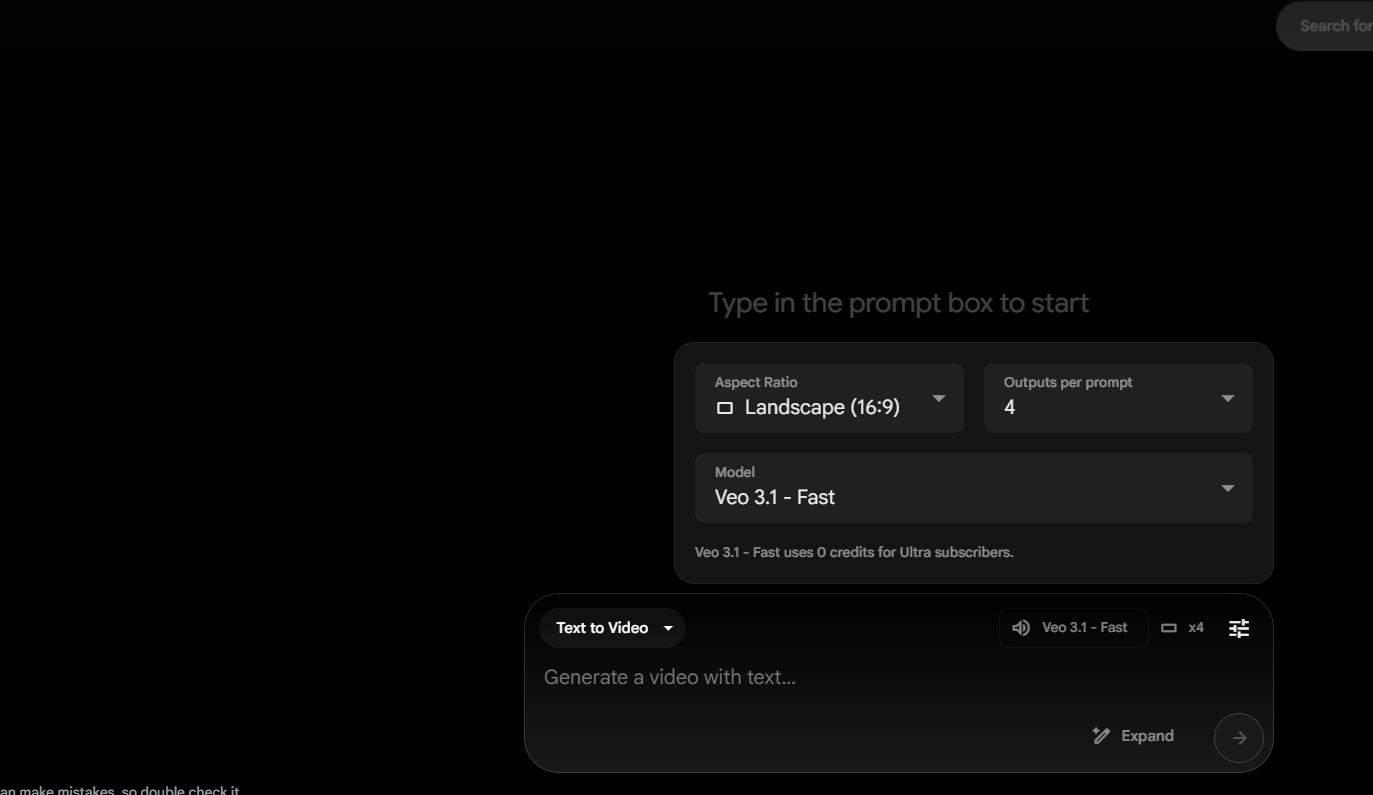
Veo, Runway, Firefly and whatever succeeds them will keep reducing the amount of manual work required to create individual assets. Google is already combining image generation, video generation, asset management and editing more tightly inside Flow, while Adobe is similarly bringing multiple generation models and timeline editing into the same environment.
But the fundamental production questions remain. What does the audience need to understand? What should be visible at this exact moment? Does one shot connect logically to the next? Is the person still recognisable? Is the claim accurate? Can the viewer read the captions? Does the vertical version still work? Is the finished piece worth watching?
A model can increasingly make the shots. The finished video still comes from answering those questions well.
Our Recommendation
Treat AI video generation as one department in the production process, not the entire studio. Lock the script first, storyboard before spending generations, use reference images where continuity matters, create clips shot by shot, establish the narration as the timing backbone and finish the project in a real editing timeline.
If a tool promises to turn an entire script into a finished video with one click, use the result as a draft. The more consequential the video, the more important it becomes to inspect the visuals, pacing, voice, facts, captions and final framing yourself.
Verification Links
Google DeepMind — Veo 3.1 capabilities
Runway — Creating with Gen-4.5
Runway — Text-to-Video Prompting Guide
Runway — Image-to-Video Prompting Guide
Adobe Firefly — Generate Videos Using Partner Models
Adobe Firefly — About Firefly Video Editor
Adobe Firefly — Generate Captions From Speech
Adobe Firefly — Generate Speech Using Partner Models
Frequently asked questions
Can AI turn an entire script into a finished video automatically?
Some AI platforms can take a script and automatically assemble scenes, narration, music and captions, but the result should usually be treated as a first draft rather than a finished production. A polished video still benefits from human decisions about shot selection, continuity, timing, factual accuracy, sound levels, captions and final framing.
Is it better to generate an AI video all at once or scene by scene?
For most serious projects, scene-by-scene or shot-by-shot generation provides more control. It makes it easier to regenerate a weak shot, maintain continuity, adjust pacing and replace AI footage with real footage, graphics or screen recordings without rebuilding the entire video.
How do I keep the same character consistent across AI-generated scenes?
Create a strong reference image or small reference set before generating multiple scenes. Keep important characteristics such as clothing, hairstyle, environment and visual style consistent, and use image-to-video or reference-image features where the model supports them. Even then, inspect each shot because identity and visual details can still drift.
Which aspect ratio should I use for an AI video?
It depends on where the video will be published. 16:9 is the conventional landscape format for YouTube and many websites, while 9:16 is designed for vertical platforms such as TikTok, Instagram Reels and YouTube Shorts. If the same video will appear in several formats, plan for those crops before generating important shots rather than relying on automatic reframing at the end.
Do I need one AI tool for video, another for voice and another for editing?
Not necessarily. Some platforms increasingly combine generation, speech, music, captions and timeline editing in one environment. A multi-tool workflow can still be useful when one service is noticeably better at a particular task. The more important requirement is that the final assets can be assembled and adjusted in an editable timeline.
Should I create the voice-over before or after generating the video?
For narration-led videos, it is usually better to establish the final or near-final voice track before completing the edit. The narration provides a timing structure for deciding how long each shot should remain on screen. Generating many arbitrary clips first and then trying to force the narration around them often produces weaker pacing.
Can AI-generated footage be mixed with real video?
Yes, and often it should be. A finished production can combine AI-generated shots with real footage, photographs, product images, screen recordings, charts, animation and traditional stock footage. AI generation is most useful where it adds something the production genuinely needs; it does not have to generate every frame.
How long does it take to turn a script into an AI video?
There is no reliable fixed duration. A simple social clip may be assembled relatively quickly, while a longer production requiring consistent characters, multiple generations, voice work, factual verification, captions and several aspect ratios can take substantially longer. The number of revisions is often more important than the raw generation speed.

How to Use AI to Strengthen Your LinkedIn Profile for Remote Roles

How to Build a Strong Profile for Remote AI Training Jobs

Data Analysis, Cybersecurity or Cloud: Which Has the Friendliest Entry Point for Beginners
Can You Start a Tech Career Using Only a Smartphone?

We Checked 200 Remote AI Jobs: These Roles Explicitly Accept Applicants From Africa
We Analysed Software Engineering Jobs in Africa: These 7 Skills Still Matter Even When AI Can Write the Code

Where African Tech Companies Are Hiring in 2026: What 500 Open Roles Reveal
Follow TechView Africa on WhatsApp
Get TechView Africa updates on WhatsApp. Follow our channel for practical technology news, product guides and digital trends from Nigeria and across Africa.
Leave a comment
Comments cannot be edited or deleted after posting. Please review your comment before submitting.
No comments yet. Start the conversation.