

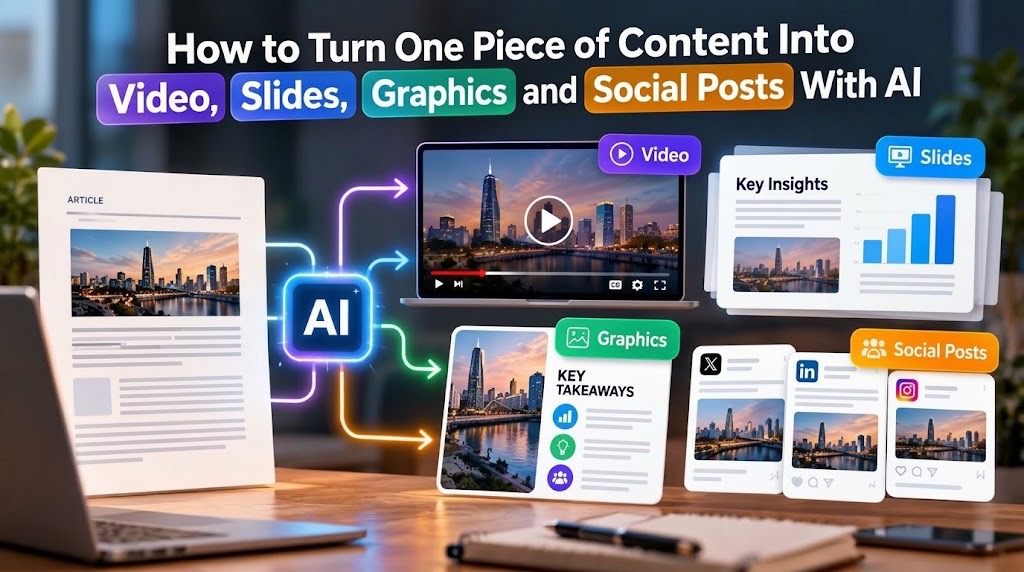
Good content repurposing does not mean publishing the same words in four formats. It means preserving the same evidence while redesigning the story for how each medium communicates best.
How to Repurpose One Piece of Content Into Videos, Slides, Graphics and Social Posts With AI
Start with one verified source document, extract its claims, evidence, visuals and key message, then create a separate brief for each output format. AI can accelerate scripting, slide creation, visual design and social adaptation, but every derivative should still trace back to the original source.
A 2,000-word report does not have to remain a 2,000-word report. The same verified material can become a presentation for a meeting, a 60-second explainer video, an infographic for social media and a sequence of short posts. AI makes that production faster, but the useful skill is not asking a model to “repurpose this content.”
It is building a workflow in which every new format inherits the facts, evidence and message of the original while changing the way those ideas are presented. That distinction matters. Copying paragraphs into a slide deck produces text-heavy slides. Reading an article aloud produces a poor video. Cutting sentences into captions produces repetitive social posts. Multimodal production requires the information to be reorganised for each medium.
Start with a source of truth, not an AI prompt
Before producing anything, create a master source pack. It can begin with an article, research report, lecture transcript, proposal, product brief or internal business document, but it should also identify which information is reliable enough to reuse.
A useful source pack contains the central argument, major supporting points, verified figures, important quotations, source links, original images or screenshots, brand assets and any claims that require qualification.
This becomes the boundary for the AI system.
The instruction is not:
“Create some social content about this topic.”
A safer instruction is:
“Use only the supplied source material for factual claims. Identify the central message, supporting evidence and important limitations. Do not introduce statistics, quotations, product features or conclusions that are not supported by the source.”
The resulting content map can then feed several production workflows.
Google's NotebookLM shows how far this source-grounded model has already developed: a set of sources can be turned into outputs including slide decks, infographics and video overviews. Google still warns that generated material can contain inaccuracies, which is why grounding does not eliminate the need for review.
Give each format a different job
The source stays the same. The communication unit changes.
| Output | Best role | What usually carries the idea |
|---|---|---|
| Video | Explain a sequence or story | scenes, narration, movement and pacing |
| Slides | Present an argument | one idea per slide, evidence and visual hierarchy |
| Graphic | Make one relationship instantly visible | diagram, comparison, process or key figure |
| Social post | Earn attention and communicate one useful point | hook, claim, context and next action |
A single paragraph may therefore become four very different things.
Suppose the source document says a company's customer-support response time fell from six hours to two after introducing a new workflow. A slide might show the before-and-after numbers. An infographic could visualise the reduction. A short video could explain the old process, the change and the result. A LinkedIn post might focus on the operational lesson rather than reproduce the paragraph. The evidence is consistent. The presentation is not.
Turn the source into slides before worrying about decoration
A presentation needs an argument, not a collection of attractive pages. Reduce the source into a sequence such as problem → evidence → explanation → implication → recommendation. Then ask AI to help draft slides from that structure.
Current PowerPoint Copilot workflows can create slides grounded in referenced files, while Adobe Express can generate presentations that can then be edited manually. Availability can depend on product, licence and account configuration.
The important step comes after generation: remove repetition, shorten slide text and check every number against the source. For a deeper presentation workflow, TVA's guide to creating professional presentations with AI without the generic AI look explains why story and visual hierarchy still need human control.
Build the video from scenes, not from the whole document
A report is arranged for reading. Video is arranged for time. Choose the part of the source that can be explained clearly in 30, 60 or 90 seconds, then convert that section into scenes. Each scene should have one job: establish the problem, show evidence, explain a process or deliver the conclusion.
Do not expect one giant prompt to turn a long document into a finished film. TVA's existing script-to-finished-video workflow goes deeper into storyboard, shots, voice, editing and export.
Tools can help move between formats. Canva, for example, supports transforming designs and resizing them for different channels, while Adobe Express can resize completed video for social formats. But automatic resizing is not editorial judgement. A vertical crop can hide a chart label, product detail or speaker. Check every output manually.
Turn ideas into graphics, not paragraphs into pictures
The best graphic usually expresses one relationship from the source. That might be a four-step process, a before-and-after comparison, a timeline, a small set of figures or a decision tree. If the source contains no useful visual relationship, do not manufacture one merely because the campaign needs “an infographic”.
Keep the visual language consistent across every derivative. Colours, fonts, illustration style, logo treatment and image choices should follow the same rules. TVA's guide to building a consistent brand identity with AI is useful here.
Canva's current design tools can use supplied text and imagery to suggest layouts for presentations, social posts, video and documents, and its resizing tools can produce variants for different channels. Adobe Express similarly supports generated templates and social-format adaptation. The automation is valuable. The brand rules should still come from you.
Social posts should extract ideas, not summarise everything
A long source can support several social posts without becoming repetitive. One post might communicate the main finding. Another can explain the method. A third can use one useful statistic. Another can challenge a common assumption that the source corrects.
That is better than asking AI for “10 posts from this article” and publishing ten paraphrases of the introduction. For each proposed post, require the model to identify the exact source passage supporting it. If the post cannot be traced back, rewrite it or reject it. This also makes the workflow easier to update. If one number changes in the master source, you know which derived assets need revision.
The final step is a source-parity review
Before publishing, put the derivatives beside the original. Check whether the video changed a number, whether the slide overstated a conclusion, whether the infographic removed an important qualification and whether a social hook became stronger than the evidence permits.
Also check the visual material. AI-generated graphics should not quietly invent a product feature, fake a user interface or create a quotation that never appeared in the source.
The objective is not identical wording. It is consistent meaning. For Nigerian businesses, publishers, lecturers and small teams, this approach can also reduce the need to start every channel from zero. But avoid building the whole workflow around one premium AI feature. Account access, pricing and product availability can change; keep the master material portable enough to move between tools.
Our Recommendation
Treat the original document as a controlled source of truth and AI as a production layer around it.
Create the content map first. Decide what each medium should accomplish. Produce the slides, video, graphics and posts separately, then run all four back against the source before publishing.
The most efficient workflow is not the one that generates the largest number of assets. It is the one where a change to the source can be traced through every derivative without losing accuracy, context or brand consistency.
Sources & Verification
Google — NotebookLM outputs including slide decks, infographics and video overviews
Microsoft — Add a slide from a referenced file with Copilot in PowerPoint
Canva — Resize designs and transform Docs into presentations
Frequently asked questions
Can one AI tool create every format from the same document?
Some platforms can now produce several output types from the same material, but using one application is not the important part. The workflow is stronger when the source remains portable and each output can be reviewed independently.
Should the video, slides and social posts contain exactly the same information?
No. They should preserve the same underlying facts while selecting the material appropriate to each medium. A presentation may need more evidence than a 30-second video, while a social post may focus on a single finding.
How do you stop AI from inventing information while repurposing content?
Give it the verified source material, instruct it not to introduce unsupported claims and require every significant number, quotation or conclusion to be traceable to the source. Human review remains necessary before publication.

How to Turn Raw Data Into Charts, Insights and a Finished Report With AI
How to Create a Consistent Brand Identity With AI Instead of Random AI Graphics

ECOWAS Recruitment 2026: 6 Abuja Jobs, Eligibility, Deadline and How to Apply

50 Remote AI Jobs and Expert Projects Open Across Micro1, Mercor, Outlier and Handshake AI

How to Create a Product Launch Video With AI From Assets You Already Have

How to Apply for Nigeria’s National AI Innovation Challenge 2026
A Script Is Not a Video Prompt: How to Turn One Into a Finished AI Video
Follow TechView Africa on WhatsApp
Get TechView Africa updates on WhatsApp. Follow our channel for practical technology news, product guides and digital trends from Nigeria and across Africa.
Leave a comment
Comments cannot be edited or deleted after posting. Please review your comment before submitting.
No comments yet. Start the conversation.